
Key takeaways
- OFX is best for businesses that want competitive FX with real human support and built-in finance automation.
- Revolut works well as an all-in-one app for freelancers and solopreneurs, while Airwallex suits e-commerce and scaling businesses.
- Payoneer is a strong fit for marketplace sellers who get paid through platforms like Upwork, Amazon, and Fiverr.
- The cheapest option depends on your transfer size, currencies, and whether an FX margin or a monthly subscription dominates your costs.
Moving money across borders on a regular basis means weighing fees, exchange rates, and settlement speed across a crowded field of providers, and every hour spent comparing them is an hour away from running your business. This guide breaks down the best Wise alternatives for global business payments, so you can find the platform that fits how your company actually moves money.
Summary:
• What is Wise and how does it work?
• Why look for a Wise alternative
• Best Wise alternatives for businesses
• Wise alternatives compared: fees, FX and features
• Alternative breakdowns
• OFX vs Wise: head-to-head
• Why OFX stands out for business
• Frequently asked questions about Wise alternatives
What is Wise and how does it work?
If you send money across borders for your business, you’ve likely used Wise or looked at Wise alternatives to find a better fit. Wise is a global money transfer service that lets businesses hold, send, and receive funds in multiple currencies through a wise business account, so you can pay and get paid internationally without a traditional bank.
Wise Business in the US costs $0 per month on a pay-per-use model, with a one-off setup fee of $31. It uses the mid-market exchange rate margin and charges paired a conversion fee between 0.57% to ~2% and varies by route.1, 12
Local receiving is free in AUD, CAD, EUR, GBP, HUF, NZD, PHP, SGD, and USD. To receive a USD wire via SWIFT, the fee is $6.11,1 and SWIFT payouts run from $7.41 to $35.2 Volume discounts apply above $25,000 per month.1
Wise sends to 80+ countries and holds 50+ currencies,3 and businesses can opt in to earn a variable return on USD balances. It suits smaller businesses and freelancers who want a simple, self-serve way to handle international money transfer with clear per-use pricing.
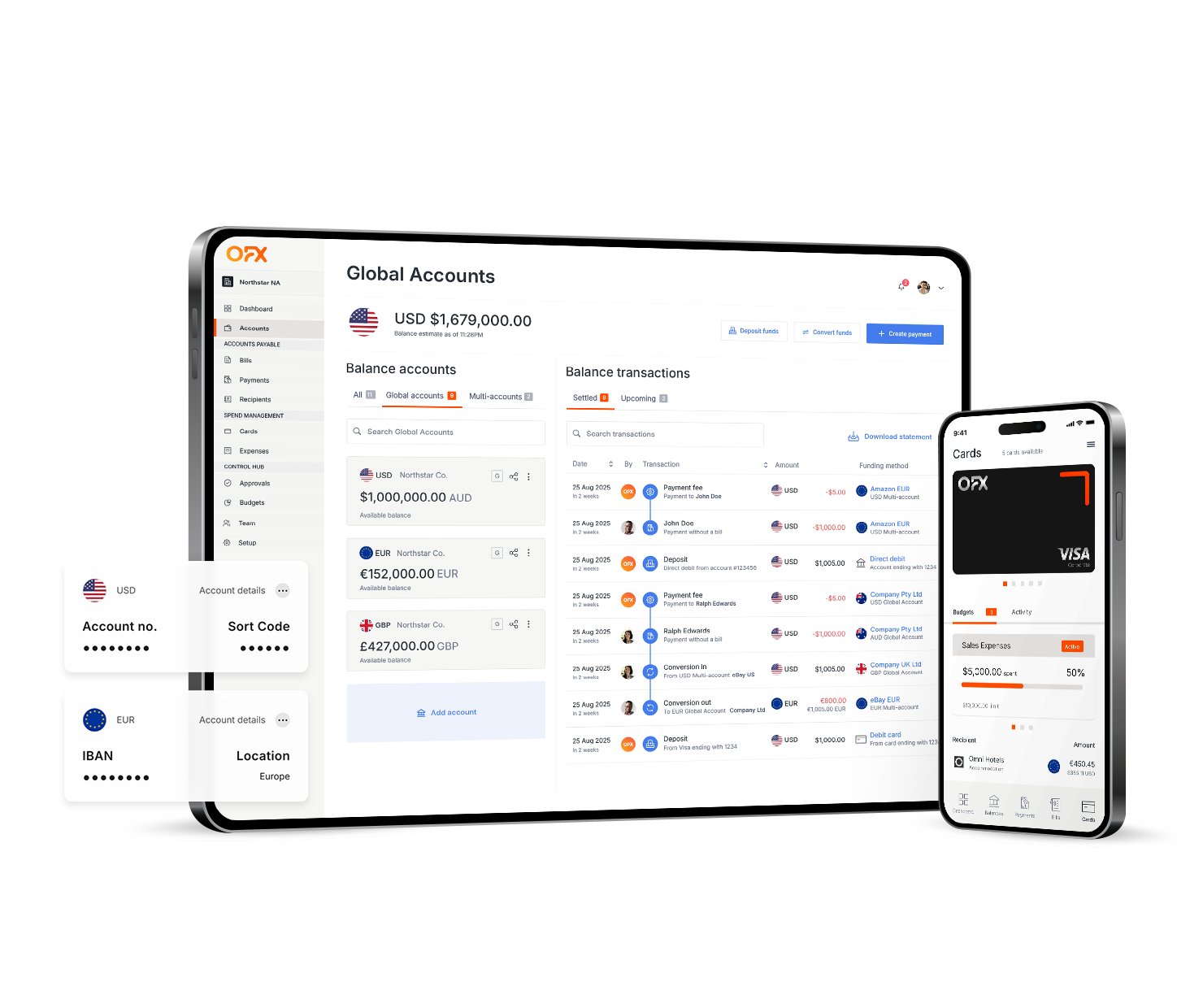
OFX Global Business Account
Receive, hold, convert and send funds across a wide range of currencies, reduce costs and gain greater control over your international payments.
Why look for a Wise alternative
Wise works well for many businesses, though some need more as they grow. Percentage-based conversion fees can add up on large transfers, so a low headline rate still means real cost when you move six figures at once.
Automation, hedging, and approval workflows are also lighter than what larger finance teams often want. Some businesses look for the cheapest way to send money internationally at scale, and that calculation changes once volume and complexity increase.
Account-limitation reviews can happen with any regulated provider, so it’s worth knowing your options. The wider market shows why this matters: US merchants lost about US$3.8 billion to payment problems in 2023, and 70% of US firms saw higher international transaction failure rates than domestic ones.4
At the same time, around 70% of US goods and retail small businesses source at least some inputs from overseas suppliers.5
As cross-border activity grows, more finance teams compare alternatives to Wise to match the right tool to the job. The goal is simple: keep more of each transfer, cut manual work, and get help when a payment matters.
Best Wise alternatives for businesses
Plenty of strong platforms compete with Wise, and the right pick depends on how you move money. Below is a shortlist of the best alternatives to Wise for international transfers for US businesses, each with a clear best-fit use case.
For completeness, Western Union and Remitly suit personal remittances more than business operations, so they’re worth noting but sit outside this business shortlist.
OFX — best for expert human support and finance automation
OFX offers competitive FX rates, with no minimum balance, no transfer limits and no separate transfer fee. You get 24/7 access to real payments specialists and multi-currency accounts, which makes it a strong fit for regular, larger transfers.
Revolut — best all-in-one financial app
Revolut is an everyday multi-currency app that suits freelancers and solopreneurs who want banking-style features in one place. It offers some automation, and its strength is the breadth of the app for personal and light business use.
Airwallex — best for e-commerce and scaling businesses
Airwallex fits e-commerce and SaaS businesses that need to scale. It offers payment acceptance and APIs, so it suits teams building automated flows across online sales and platforms.
Payoneer — best for marketplace sellers
Payoneer is built for marketplace and platform payouts. If you get paid through Upwork, Amazon, or Fiverr, it gives you a simple way to receive and withdraw those funds.
Wise alternatives compared: fees, FX, and features
This table lays out the wise competitors side by side. It shows both the FX margin and the fixed or subscription fee for each provider, because the best way to send money internationally often comes down to how those two costs stack up when you send money abroad at volume.
| Provider | Monthly/plan fee | FX margin | Transfer fee | Multi-currency accounts | Standout feature | Best for |
|---|---|---|---|---|---|---|
| OFX | Standard $0; Full Suite $75/mo (5 users, +$10/mo per extra user) | Competitive FX rates (no separate transfer fee; cost is in the rate shown before you book) | No international transfers fee as included in margin. ($5 FedWIRE, $20 SWIFT fee) | Local account details in USD, CAD, EUR, GBP, AUD (hold, pay, and receive in 30+ currencies) | 24/7 human payments specialists | Expert support and finance automation |
| Wise | $0 (pay-per-use); $31 one-off setup | mid-market and charges a transfer fee % | Conversion fee from 0.57% to ~2% (varies by route); SWIFT payout $7.41-$35 | 50+ currencies | Mid-market rate, self-serve | Simple per-use transfers |
| Revolut | Basic $10/mo; Grow $50/mo; Scale $180/mo; Enterprise custom | 0% within allowance; 0.6% over; +1% out-of-hours | $5 per international transfer over allowance; $0.20 per local (ACH) over allowance | 25+ currencies | All-in-one app | Freelancers and solopreneurs |
| Airwallex | Explore $0; Grow $12/user + platform fee; Accelerate/Custom custom | 0.50% major / 1.00% other | Local transfers $0 to 120+ countries; SWIFT $15 (SHA) / $25 (OUR) | 20+ currencies | Payment acceptance and APIs | E-commerce and scaling |
| Payoneer | $29.95/year (waived with $6,000+ activity per 12 months) | 0.5% on own balances | Send cross-border up to 1% + up to $4; withdraw to same-country bank $1.50 | Multiple currencies | Marketplace payouts | Marketplace sellers |
Alternative breakdowns
OFX: overview, fees and pros and cons
OFX is a modern fintech alternative to traditional international business bank accounts, built for businesses that move higher-value funds across borders. It pairs competitive FX with 24/7 access to real payments specialists, so you get both technology and human help.
On the Full Suite plan, OFX also brings AI powered expense management, AP automation, approval workflows, and budgeting into the same platform, so finance teams cut manual work while they save on FX. OFX also offers Corporate Cards that earn cashback on eligible business spend, plus Pay by Card, which lets you earn credit card reward points on supplier and expense payments, a combination few Wise alternatives match.
Fees: Standard plan $0; Full Suite $75/month including 5 users, plus $10/month per additional user.7 OFX charges competitive FX rates with no setup fees, no separate transfer fee, our cost is built into the rate shown before you book. Domestic FedWire ($5) and SWIFT ($20) fees apply, and no minimum balance.
- Pros: competitive FX, no minimum balance, local currency accounts in USD, CAD, EUR, and GBP, 24/7 human support, QuickBooks Online and Xero integrations, corporate cards with cashback on eligible spend, and Pay by Card reward points.
- Cons: monthly platform fee applies for the Full Suite plan; best suited to businesses with regular cross-border needs rather than one-off personal transfers.
Revolut: overview, fees and pros and cons
Revolut is an everyday multi-currency app that brings many financial tools into one place. It’s a good fit for freelancers and solopreneurs who value a broad, self-serve app.
Fees: plans are Basic $10/month, Grow $50/month ($40 if paid annually), Scale $180/month ($140 if paid annually), and Enterprise custom, with $0 setup.8 FX is 0% within the monthly allowance, 0.6% over the allowance, and +1% out-of-hours. The free FX allowance is $1,000 on Basic, $20,000 on Grow, and $80,000 on Scale per month.
International transfers cost $5 each over the allowance, local (ACH) transfers $0.20 each over the allowance, and ATM withdrawals up to 2%. Balances carry FDIC pass-through up to $250,000,9 and it supports 25+ currencies.8 Businesses can earn cashback on eligible card spend (terms apply; availability varies by region).
- Pros: broad all-in-one app, generous free FX allowance on higher tiers, supports 25+ currencies.
- Cons: monthly plan fee from the entry tier; FX applies once you pass the allowance, plus an out-of-hours add-on.
Airwallex: overview, fees and pros and cons
Airwallex suits e-commerce and SaaS businesses that need payment acceptance and APIs as they scale. It’s built for teams that want to automate online flows across borders.
Fees: monthly plans are Explore $0, Grow $12/user plus a platform fee, and Accelerate/Custom on request. FX margin is 0.50% on major currencies and 1.00% on other currencies, with an optional 0.04-0.30% quote-validity add-on.
Local transfers are $0 to 120+ countries, and SWIFT sends cost $15 (SHA) or $25 (OUR). Receiving is 0% for most currencies, it holds 20+ currencies, and reaches 200+ countries via SWIFT. Payment acceptance is 2.80% + $0.30 for domestic cards and 4.30% + $0.30 for international cards, with card FX at 0% (auto-conversion about 1%).10 It may offer yield on USD balances and cashback on local card spend.
- Pros: payment acceptance and APIs, wide local transfer coverage, low FX on major currencies.
- Cons: card acceptance fees add up for card-heavy sellers; per-user and platform fees on paid plans.
Payoneer: overview, fees and pros and cons
Payoneer is designed for marketplace and platform sellers who get paid through services like Upwork, Amazon, and Fiverr. It gives you a simple way to receive and move those payouts.
Fees: the annual account fee is $29.95, waived with $6,000+ in activity per 12 months, and setup is $0. Conversion is 0.5% on your own balances, withdrawal-with-conversion is 1.2-4%, and card FX is up to 3.5%. Receiving is free in local currency, 1% for non-local (minimum $1), up to 3.99% + $0.49 by credit card, and 1% by ACH. Cross-border sends are up to 1% + up to $4, and withdrawing to a same-country bank is $1.50.11
- Pros: strong marketplace and platform payout support, free local receiving, activity waiver on the annual fee.
- Cons: withdrawal-with-conversion and card FX rates can be high; layered fees depending on how you receive funds.
OFX vs Wise: head-to-head
Here’s the OFX vs Wise comparison at a glance, so you can match each one to how your business moves money. If you’re reading an OFX review to weigh the two, this Wise vs OFX snapshot puts the key numbers next to each other.
| Feature | OFX | Wise |
|---|---|---|
| International fees | Competitive FX rates cost is in the rate shown before you book, no international transfers fee as included in margin. ($5 FedWIRE, $20 SWIFT fee) | Conversion fee from 0.57%1 to ~2%12(varies by route); SWIFT payout $7.41-$35 |
| Minimum balance | No minimum balance | No minimum balance |
| Settlement rails | Local rails, not just SWIFT | Local receiving plus SWIFT for wires |
| Support | 24/7 human payments specialists | 24/7 via live in-app chat, phone support available |
| Monthly fee | Standard $0; Full Suite $75/mo | $0; $31 one-off setup |
| Finance automation and spend control | AI powered AP automation, spend management, approval workflows, and budgeting (Full Suite) | Lighter, self-serve automation |
OFX and Wise both make cross-border payments straightforward, and each fits a different need. OFX pairs competitive FX rates with no minimum balance, uses local rails rather than relying only on SWIFT, and gives you 24/7 access to real specialists when a payment needs a human.
Beyond the transfer itself, OFX Full Suite goes further than a pure transfer tool. It adds AI-powered AP and bill automation, spend management, customizable approval workflows, and budgeting, so a growing finance team removes manual work and tightens control rather than only chasing a rate. Wise keeps its automation lighter and self-serve, which suits simpler needs.
Wise uses a self-serve, pay-per-use model with the mid-market rate and a percentage conversion fee. That’s clear and simple for smaller transfers, while businesses moving larger amounts often prefer OFX’s margin range and hands-on support. Reading a Wise vs OFX breakdown helps you see which model keeps more of your money at your transfer size.
Choose OFX if you want to consolidate transfers, spend management, AP automation, and approvals in one platform with human support on high-value payments. Choose Wise for simple, self-serve, per-use transfers.
Why OFX stands out for business
OFX is a modern fintech alternative to traditional international business bank accounts, built for US businesses that move money globally and want competitive FX with real human support. It’s a strong fit for importers, exporters, agencies, and fast-growing teams paying overseas suppliers or collecting from global clients.
With a multi currency account, competitive FX, and 24/7 specialists, OFX gives finance teams a simpler way to manage international payments, automate payables, and control costs.
See our business pricing for more details.
Frequently asked questions about Wise alternatives
Who are Wise’s main competitors for businesses?
The main Wise competitors for businesses include OFX, Revolut, Airwallex, and Payoneer. Each suits a different need, from high-value transfers to marketplace payouts, so the best fit depends on how your business moves money.
What is the cheapest alternative to Wise for international transfers?
There’s no single cheapest option, because the cheapest way to send money internationally depends on your transfer size, currencies, and whether an FX margin or a subscription dominates your costs. Compare the FX margin and fixed fees together for each provider to find the best way to send money internationally for your volume.
Which alternative is best for large, high-value transfers?
OFX is a strong choice for large transfers, with competitive FX rates, no minimum balance, and 24/7 access to real payments specialists. Human support helps when a big transfer needs a quick answer.
Are Wise alternatives safe and regulated in the US?
Reputable alternatives to wise for international transfers are regulated in the US. OFX, for example, is licensed as a money transmitter by the relevant state regulatory agency in every US state and registered as a Money Service Business with FinCEN (NMLS #1021624).
Can I get a multi-currency business account without using Wise?
Yes. Providers such as OFX, Revolut, and Airwallex offer a multi-currency account, so you can hold and manage funds in several currencies without a wise business account. OFX offers local currency accounts in USD, CAD, EUR, GBP, and AUD.
Which is best for receiving international payments?
It depends on how you get paid. Payoneer suits sellers receiving from marketplaces like Upwork and Amazon, while OFX and Airwallex support businesses receiving from global clients into multi-currency accounts.
Looking for an alternative to Wise?
References
- Wise, Business pricing (US): https://wise.com/us/pricing/business
- Wise, SWIFT payment fees: https://wise.com/help/articles/2946451
- Wise (US): https://wise.com/us
- MarketsandMarkets, Cross-Border Payments Market — Global Forecast to 2029: https://www.marketsandmarkets.com/Market-Reports/cross-border-payments-market-109266018.html
- Federal Reserve Bank of New York, “Effect of Tariffs on U.S. Small Businesses,” Liberty Street Economics: https://libertystreeteconomics.newyorkfed.org/2026/07/effect-of-tariffs-on-u-s-small-businesses/
- McKinsey, The 2025 Global Payments Report: https://www.mckinsey.com/industries/financial-services/our-insights/global-payments-report
- OFX Business pricing (US): https://www.ofx.com/en-us/business/pricing/
- Revolut, Business account plans (US): https://www.revolut.com/en-US/business/business-account-plans
- Revolut, Business fees (US): https://www.revolut.com/en-US/legal/business-basic-fees
- Airwallex, Fee schedule (US): https://www.airwallex.com/us/terms/fee-schedule
- Payoneer, Pricing: https://www.payoneer.com/about/pricing
- Transferfees, https://transferfees.io/guides/wise-fees-explained/
- Transferfees, US wire transfer fees (bank FX margin benchmark): https://transferfees.io/wire-transfer-fees/
OFX is licensed as a money transmitter by the relevant state regulatory agency in every US state. OFX is registered as a Money Service Business (MSB) at the federal level with the Financial Crimes Enforcement Network (FinCEN). OFX is not a bank and does not offer banking services. OFX’s services include money transfers and foreign exchange, which are not FDIC insured.
Your money and information sit behind strong protections. OFX is regulated by 50+ regulators globally, brings 25+ years of experience, and runs a risk-averse payout model, so funds are never paid out before they are received.
Learn more about how OFX keeps your money and information secure.
IMPORTANT: This article was updated in August 2026. The information is based on our online research at time of publication. This publication is provided for general information purposes and a reader should consider the specific requirements of their business when evaluating providers. This information does not constitute legal, tax or other professional advice from USForex Limited trading as OFX or its affiliates, and it is not intended as a substitute for obtaining advice from a financial advisor or any other professional. If you would like to request updated information, please contact us at business@ofx.com. Please see our pricing pages for the most up to date OFX pricing and fee information.