A closer look at NAB’s free business account.
Australian small businesses often want simple, cost-effective ways to manage everyday banking. The NAB Business Everyday Account (with $0 monthly fee) is a transaction account designed for businesses that primarily bank online and don’t require many teller transactions. You only pay for what you use, perfect if you’re keeping things low-cost and digital.
While NAB is a popular traditional business account we’ll also compare it to OFX, a provider that may offer better value and greater flexibility for businesses with international payments needs, handling high-value transactions with dedicated FX guidance and support and the latest in spend automation tools.
On this page:
• What is the NAB Business Everyday Account?
• NAB Business Everyday Account key features
• NAB business Everyday Account fees
• NAB business Everyday Account pros and cons
• How to open an NAB Business Everyday Account
• NAB Business Everyday Account V OFX Global Business Account: A comparison
• Why more businesses are choosing OFX
• FAQs
Looking for a better way to handle global business payments?
What is the NAB Business Everyday Account?
The NAB Business Everyday Account offers a no-monthly-fee transaction account suited for small businesses, sole traders, partnerships or companies, who conduct most of their banking online. The account allows complimentary unlimited NAB ATM and electronic (EFTPOS, BPAY, PayID) transactions, making it suitable for businesses with low physical transaction needs.
It includes a linked NAB Business Visa Debit Card, and integrates with NAB Bookkeeper and accounting software like Xero, MYOB, and Reckon.
NAB Business Everyday Account key features.
The NAB Business Everyday Account is designed for small to medium businesses looking for a low-cost, easy-to-manage banking solution.
The table below breaks down its core features, how they work, and the benefits they offer:
| Feature | Details | Benefit |
| $0 monthly fee | No account‑keeping fees for online-first users | Keep banking costs minimal, only pay for in‑branch services if needed1. |
| Unlimited electronic and ATM transactions | Unlimited free EFTPOS, online and ATM (NAB ATMs only) transactions | Ideal for businesses with frequent card or online banking2. |
| VISA debit card included | Use in-store, online, or overseas with Visa PayWave / digital wallet support | Convenient access to funds & built‑in fraud protection3. |
| Integrated with accounting and bookkeeping tools | Works with NAB Bookkeeper and popular software like Xero, MYOB, Reckon | Streamlines reconciliation, invoicing and expense tracking4. |
| Quick online setup | Apply in under 10–15 minutes; verified with ABN/ACN and photo ID | Get started fast with minimal paperwork5. |
NAB Business Everyday Account fees.
The table below outlines the key fees you should be aware of:
| Fee component | Charge under $0 account | What it means for you |
| Monthly account fee | $0 (no fee) | You avoid fixed monthly charges if you mostly bank online6 |
| Staff-assisted transactions | $3 per transaction (plus $3 per cheque if applicable) | In-branch services incur charges, which is great if you rarely do them7. |
| Express deposits | $3 per deposit or cheque | Only pay if you use advanced branch-based services8 |
| NAB ATM transactions | $0 at NAB-owned ATMs | No withdrawal or deposit fees at NAB machines.9 |
| EFTPOS and online banking | $0 per transaction | Use digital banking without ongoing fees.10 |
NAB Business Everyday Account benefits:
Speed and efficiency.
NAB’s Business Everyday Account is designed for seamless daily banking, with reliable settlement and clear payment processing timelines:
- Fast payment settlement: Domestic transactions processed before 9:30 pm (AEST/AEDT) are settled on the same business day, ensuring funds are quickly available.
- 24/7 instant payments via PayID/Osko/Fast Payments: These services are available around the clock, allowing you to send or receive money anytime with immediate visibility.
- Clear cut-off times for transfers:
- BPAY closes at 6:00 pm for standard same-day processing.
- Direct Credit, Direct Debit, and Payroll payments should be submitted by 6:30 pm to process that day
- RTGS payments cut off at 3:50 pm.
- International transfers must be submitted by local cut-off times (ranging between 10:00 am and 4:00 pm, depending on currency) to clear on the same day. Transfers after cut-off will typically process the next business day.
- Real-time tracking: Payments made via the NAB app or Internet Banking can be viewed and tracked from initiation through to settlement, helping you stay informed.
What it means for your business:
- Expect rapid same-day settlement for most domestic payments.
- Enjoy 24/7 access to instant transfer services via Fast Payments platforms.
- Know up front when a payment will process or settle, thanks to transparent cut-off schedules.
- Easily track each transaction via the app or online portal.
Global supplier management.
The NAB Business Everyday Account is tailored to support domestic supplier payments and manage accounts payable through simple, reliable tools:
Internet Banking & NAB Connect
You can pay suppliers, employees, or service providers using NAB Internet Banking or NAB Connect. NAB also offers the Business Payables Service, which lets you upload payment files and manage reconciliation in one streamlined process.
BPAY Batch Service
For managing multiple invoices or supplier payments, the BPAY Batch Service allows a single file upload for multiple BPAY payments, making it easier to send out supplier payments and track them efficiently.
Integrated accounting workflows
Works seamlessly with NAB Bookkeeper and compatible platforms such as Xero, MYOB, and QuickBooks. This integration simplifies payment reconciliation and helps keep records organised and up to date.
Real-time transaction visibility
View payment status instantly via the NAB app or Internet Banking. This includes domestic electronic payments, direct credits, or BPAY payments—giving you clarity on cash flow and supplier payment history.
Business benefits.
- Simple supplier payments: Easily pay bills and suppliers from your business account using NAB’s digital services.
- Batch payments: With BPAY Batch, sending multiple payments at once is efficient and helps reduce admin time.
- Automated reconciliation: Integrated accounting tools reduce manual entry and keep your books in sync.
- Transparent tracking: Stay informed on each payment’s progress—from initiation to settlement—directly from the banking dashboards.
Security and compliance.
When you open a NAB Business Everyday Account, your money and data are protected through multiple layers of regulatory oversight and technology, designed to keep fraud and scams at bay11.
Regulated and monitored
NAB is fully regulated by ASIC and APRA, as an Australian authorised depositor. This means your business banking is subject to rigorous compliance standards to help prevent fraud and maintain integrity.
Identity verification and onboarding
When applying for a new business account, you’ll need to provide documentation such as an ABN/ACN, personal ID for all beneficial owners, and information on business structure or source of funds. NAB’s Identity Protect team manages this to meet legal requirements and help prevent identity-related fraud.
Strong authentication and access controls
- Multi-factor authentication (MFA) ensures users provide a one-time passcode or token (physical or app-based) when logging in or approving payments.
- In NAB Connect, you can assign dual authorisation, separating payment creation and approval duties across users, plus limit permissions for external users like accountants.
Advanced fraud protection and scam prevention
- NAB’s fraud detection system monitors account activity and transaction patterns in real time, triggering alerts before suspicious transactions go through. Customers are prompted via push notifications or in-App warnings and can cancel questionable payments.
- NAB consciously avoids sending SMS with links to reduce phishing risks. Any suspicious SMS can be reported to a dedicated fraud team via SMS or email.
Security awareness and support for best practice
- Through the Security Hub, NAB provides comprehensive resources, guides, podcasts, webinars and scam alerts, helping business owners identify red flags and build strong cyber hygiene.
- NAB also partners with SafeStack to offer discounted cyber safety training to NAB Business Everyday account holders.
What it means for your business:
- Your account is built on verified identity and in-line with full legal compliance.
- Access to your funds is safeguarded through strong authentication and permission controls.
- Security alerts and proactive monitoring protect you from fraud and scams.
Support and user experience.
NAB provides a robust and adaptable support experience tailored to the needs of small business users banking online:
Business banking help and support
Access detailed guides and FAQs via NAB’s Help Hub, which covers day‑to‑day tasks like making payments, account management, and security information.
In-app and Internet Banking support
For help on-the-go, you can message a NAB Business Specialist directly through the NAB app or online banking platform—no need to visit a branch.
Phone support during extended hours
NAB offers dedicated phone support for business clients:
- Internet Banking enquiries: 13 10 12 (Mon–Fri 8 am–7 pm, Sat–Sun 9 am–6 pm AEST/AEDT)
- NAB Connect business internet banking: 1300 888 413 (Mon–Fri 7:30 am–8 pm, Sat 9 am–2 pm)
On-site branch support when needed
While the account minimises in-branch dependency, if in-person assistance is required, NAB provides in-branch business bankers across its national network.
Why customers like the experience:
- Straightforward online setup, accounts can be opened within 10-15 minutes.
- Integrated accounting support via NAB Bookkeeper and compatibility with tools like Xero or MYOB simplify reconciliation
- Comprehensive help guides and templates for tasks like PayID setup, transaction limits, and security best practices make self-service a breeze.
With extended phone help hours, intuitive self-service tools, and strong integration to business tools, NAB ensures support is always available, especially when you prefer to bank digitally.
NAB Business Everyday pros and cons.
Here’s a quick look at the key advantages and limitations of the NAB Business Everyday Account (no monthly fee version) to help you decide if it suits your business needs.
| Pros | Cons |
| Zero monthly fee if you mainly bank electronically12. | Branch transactions incur fees ($3 per assisted transaction or express deposit)13. |
| Unlimited free ATM withdrawals (NAB ATMs) and EFTPOS/online payments14. | No free in-branch transactions—suitable only if your business rarely visits a branch. |
| Quick online onboarding and instant access via NAB app or Internet Banking15 | No interest on balance (no savings/overdraft features included).16 |
| Debit card issued, links to Apple Pay, Google Pay etc.17 | Cheque facilities may be limited—new accounts may not have cheque books18 |
| Syncs easily with business accounting software and NAB Bookkeeper19 |
How to open an NAB Business Everyday account.
- Check eligibility
You must be an Australian resident, operating as a sole trader, trust, partnership or private company with an active ABN or ACN.
- Apply online
It takes less than 10–15 minutes. Existing NAB customers log in; new customers provide two forms of ID.
- Verification and setup complete
NAB may contact you within 3–5 business days if additional verification is needed. Once approved, you’ll receive your NAB ID and account details to access Internet Banking.
NAB Business Everyday review summary.
The NAB Business Everyday Account ($0 monthly fee) is an excellent everyday banking solution for small businesses operating mostly online. It combines no account-keeping fees with unlimited digital transactions, Visa debit access, and seamless accounting integrations, ideal for business owners prioritising cost control and convenience.
If you foresee needing more in-person branch interactions, the $10 per month version offers added flexibility. In either case, NAB delivers a robust, low‑cost banking option designed for straightforward business needs.
Ideal use cases:
- Low-volume online businesses that manage cash flow primarily via card or digital transactions.
- Startups or sole traders who want to avoid ongoing fees but still need a full-featured debit card and easy payment tools.
- Remote or digital-first businesses requiring no in-person branch interactions.
- Users of accounting tools like Xero or MYOB, integrated feeds make reconciliation and income tracking smoother.
NAB Business Everyday Account vs. OFX Business Account: A comparison.
| Feature | NAB Business Everyday Account (no monthly fee) | OFX Global Business Account |
| Best for | Australian businesses using card and online banking with minimal in-person branch needs | Businesses that need to manage global payments and multi-currency balances, especially with FX and automation |
| Monthly fees | $0 per month for everyday use (electronic banking only)20 | $0 for up to 3 users; Business Plus plan at AUD 15/user/month unlocks greater controls and automation |
| Transaction fees (domestic) | Unlimited free EFTPOS, online banking, and NAB ATM withdrawals21 | No fees for domestic transfers in local currencies; standard cross-border transfers may incur fees under AUD 10k |
| International payment fees | There is no fee for international money transfers sent by NAB Internet Banking when made in foreign currency. If you are transferring Australian dollars the fee is $30.22 | Transfers may include a fee: AUD 10 for SWIFT, AUD 0 via local payment rails; AUD 5 to receive via SWIFT |
| Currencies & countries | AUD only — standard Australian business account23 | Hold, manage, send and receive in 30+ currencies, with local receiving accounts in AUD, USD, EUR, GBP, CAD |
| Payout flexibility | Domestic payments in AUD only via NAB digital services24 | Global multi-currency payments and local payouts in major currencies; receive foreign payments like a local |
| Transfer/holding limits | No upper limits on normal banking transactions25 | No mandatory upper limit; suitable for large or high-volume payments; supports high thresholds with documentation |
| Risk management tools | None — standard business transaction account26 | Forward contracts, limit orders, and dedicated FX guidance available to lock in rates and manage currency risk |
| Batch payments / AP automation | Basic online payments only; no batch tools or automation27 | Batch/payout tools, AP automation, invoice capture and approval workflows available under Business Plus |
| Integration / software | Link to Xero, MYOB, Reckon via NAB Bookkeeper28 | Native Xero and CSV export; integration with payment and ERP workflows and receipt reconciliation |
| Cards & spend control | Linked NAB Visa Debit Card included29 | Corporate multi-currency Visa cards (virtual/physical), spend limits and team cards available |
| Customer support | NAB digital and branch support during business hours30 | 24/7 support by phone, with access to dedicated account managers and global assistance |
NAB Business Everyday Account is ideal for businesses operating primarily in AUD, with minimal international needs. It’s low-cost, easy to use, and integrates with local bookkeeping tools.
OFX Global Business Account shines for businesses operating internationally—offering multi-currency management, FX risk tools, payment automation, and robust global support.
Why more businesses are choosing OFX.
Built for global business
- Global Business Account: Manage, receive, hold, and pay in 30+ currencies using a single account, ideal for international operations. You can receive local payments in AUD, USD, EUR, GBP, CAD using local account credentials.
- Global reach: Send and receive payments to over 180 countries, supporting international suppliers, payroll, and customer billing.
- Batch or multi-pay: Use OFX’s batch payment tools to pay hundreds or thousands of suppliers or staff in a single upload, complete with approval workflows and real-time notifications.
High-value transfers and flexible timing
- No upper-limit transfers: OFX supports very large—or recurring—transfers, uncommon among standard remittance providers.
- 24/7 transfer capability: No downtime—spot transfers can be initiated anytime, even weekends and holidays.
Streamlined spend and payment control
- Fully integrated spend tools: Manage approvals, budgets, multi-user roles, corporate cards (virtual/physical), and OCR-enabled receipt capture—all from one dashboard.
- Accounting integrations: Connect with Xero, QuickBooks, Saasu, or export CSVs to reduce bookkeeping overhead and simplify reconciliation.
Real people, real support
- Round-the-clock support: OFX provides 24/7 access to real staff—no bots—plus dedicated account managers (OFXperts) to assist during volatile markets or when handling large sums.
For businesses that make regular global payments, OFX delivers:
- Advanced FX tools for risk management and forecasting
- Automated workflows for high-volume or structured payments
- Multi-currency capabilities and global payment rails
- Expert support available whenever needed
If scaling globally, managing variable currency costs, or running complex payments systems are part of your business, OFX offers the flexibility and insight to support you, whatever the market conditions.
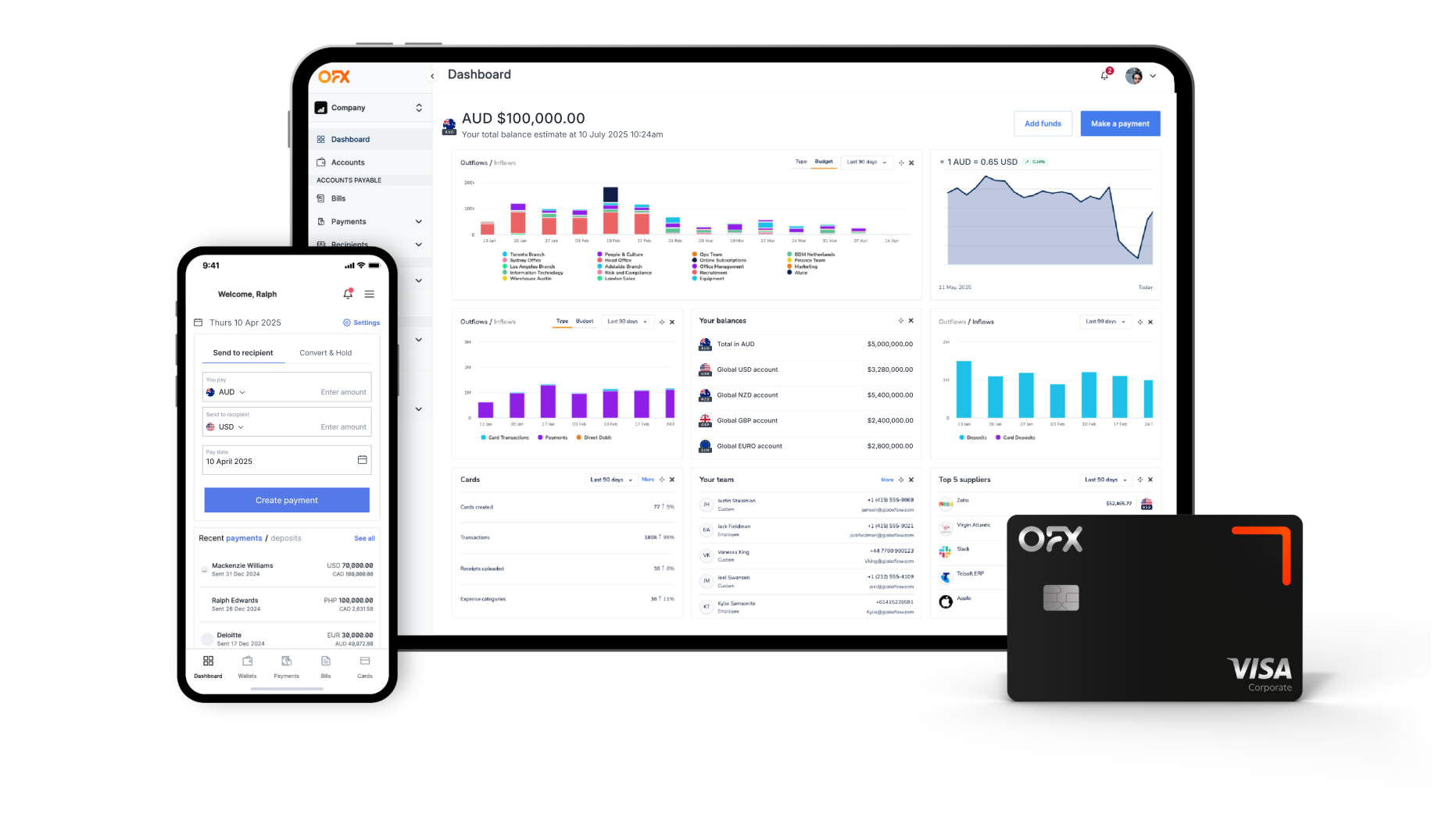
OFX Global Business Account
Receive, hold, convert and send funds across a wide range of currencies, reduce costs and gain greater control over your international payments.
FAQs
What is the NAB Business Everyday Account?
NAB’s Business Everyday Account is a monthly fee‑free (AU$0/month) business transaction account designed for Australian businesses that bank mainly online. It provides unlimited free electronic banking (EFTPOS, internet, PayID) and NAB ATM transactions, with the option to pay for in-branch services only as needed.31
What is the OFX Global Business Account?
The OFX Global Business Account is an online multi‑currency platform tailored for businesses that need to manage FX, make cross-border payments, and hold funds in 30+ currencies. It supports local receiving accounts in AUD, USD, EUR, GBP, and CAD and includes tools for budgeting, spend control, and AP automation.
How do NAB and OFX compare on fees?
NAB charges no ongoing fees if you bank online; branch‑assisted services are charged per transaction (e.g. $2.50 per deposit/withdrawal, $0.60 per cheque). International transactions incur foreign transaction fees (~3%) and exchange mark‑ups (~2%)32.
OFX has no monthly fee for up to 3 users on the Standard plan. International wire transfers incur around AUD 10; receiving international funds via SWIFT costs AUD 5. Fees vary by transaction type, and FX rates are shown when booking.
Can I hold multiple currencies?
No; the NAB account operates in AUD only.
Yes: OFX allows you to hold, send and receive in over 30 currencies, and use multiple local currency accounts through a single platform.
What payout/payment methods are supported?
NAB supports domestic Australian payments—EFTPOS, BPAY, PayID, and NAB ATM withdrawals—plus direct debit or electronic payments. There’s no international payout infrastructure or multi-currency sending33.
OFX: Enables global payments via international bank transfers in multiple currencies and local receiving accounts in major currencies. No local mobile money, cash pickup, or airtime options.
Can I integrate with accounting systems?
Yes. NAB offers built‑in integration via NAB Bookkeeper and support for Xero, MYOB, and Reckon.
OFX: Provides native integration with Xero; other platforms can connect via CSV export. Additionally, its Business Plus plan includes AP automation.
How fast are transactions?
Local NAB transactions (EFTPOS, PayID, BPAY) settle instantly or within the same business day; international payments incur standard banking timelines and may take several business days34.
OFX: International transfers via OFX typically arrive within 1–2 business days for major corridors.
Does either offer FX risk management tools?
No. NAB does not provide FX tools or rate protection features.
Yes: OFX offers Forward Contracts (up to 12 months) and Limit Orders to manage FX risk. Dedicated FX specialists support strategic currency planning.
How is customer support handled?
NAB offers in-branch and telephone support locally, plus Australian business resources via its Help Hub.
OFX: Provides 24/7 global support, including dedicated account managers available for strategic FX guidance and urgent issues.
Are there transfer limits?
NAB imposes transaction limits depending on method; international transfers carry fees and mark-ups.
OFX: Has a minimum transfer amount (e.g. ~USD 150) but no upper limit, supporting high-value or recurring global payments.
Are NAB and OFX regulated?
Yes. NAB is an Australian bank regulated by ASIC and APRA.
OFX: Is regulated in Australia under ASIC, holding an AFSL for international payments.
What’s better for paying contractors or suppliers abroad?
For straightforward AUD‑based domestic banking with simple online access, NAB is ideal.
OFX is better suited for international payments, FX risk management, multi-currency holding, and automation of supplier or staff payments.
See how the OFX Global Business Account can help you
Sources
1 , 4, 5, 9, 10 , 14 , 17 https://www.finder.com.au/bank-accounts/nab-business-everyday-account
2 https://www.nab.com.au/business/business-bank-accounts/transaction-accounts
3 ,12 ,15, 16, 17, 18, 19, 20, 23 , 24,26, 27, 28, 29, 30, 31 https://www.nab.com.au/business/business-bank-accounts/transaction-accounts/no-monthly-fee-business-account
6 https://www.nab.com.au/business/business-bank-accounts/nab-business-everyday-zero-fee-checklist
7, 8 https://www.nab.com.au/business/business-bank-accounts/transaction-accounts/low-fee-business-account
11 https://www.nab.com.au/about-us/corporate-governance/identity-protection
13, 32 https://www.nab.com.au/content/dam/nab/documents/rates-and-fees/banking/nab-business-banking-guide-to-fees-charges.pdf
21 https://www.nab.com.au/important-information/business/banking-fees-charges
22 https://www.nab.com.au/personal/international-banking/transfer-money-overseas/additional-information
25 https://www.nab.com.au/help-support/daily-limits-online-payments