
A closer look at Expensify
Australian and global SMEs, especially those managing employee expenses and corporate spend, require a solution that is simple, cost-effective, and enhances financial control.
Expensify fits these needs, with flexible pricing and expense management tools designed for businesses of all sizes. If you’re looking to streamline expense reporting, automate approvals, and gain real-time visibility into spending, this platform delivers the essentials alongside smart integrations and compliance features.1
On this page:
• What is Expensify?
• Expensify key features
• Expensify business account fees
• How to open a Expensify business account
• Expensify business account pros and cons
• Expensify business account vs. OFX Global Business Account: A comparison
• Summary: Expensify for business
• Why businesses choose OFX
• FAQ
What is Expensify?
Expensify helps companies control costs, improve compliance, and gain actionable insights into their expenses worldwide.2
They offer a cloud-based expense management platform tailored for businesses seeking to simplify employee expense reporting and corporate spend management. It automates receipt capture, enforces company policies, and integrates seamlessly with accounting and ERP systems.
Expensify key features
This account is designed to improve efficiency and control for businesses. Here’s how it breaks down:
| Feature | Details | Benefit |
|---|---|---|
| Flexible pricing | Choose free tier, Collect ($5/member/month), or Control (custom pricing) plans3 | Cost-effective expense management |
| Automatic receipt scanning | SmartScan captures expense data from photos instantly, including merchant, amount, and date4 | Saves time and reduces manual entry errors |
| Corporate card reconciliation | Import and reconcile corporate card expenses automatically5 | Simplifies bank statement reconciliation |
| Policy enforcement | Configure spend limits, receipt rules, and approval workflows6 | Ensures compliance and reduces fraud risk |
| Multi-level approvals | Customise approval workflows to match your company’s hierarchy7 | Streamlines expense approval process |
| Integration capabilities | Integrates with Xero, QuickBooks, Sage Intacct, NetSuite, and more8 | Seamless accounting sync and reporting |
| Real-time expense reports | Access live expense data and dashboards9 | Better visibility and faster decision-making |
| Mobile app | Available on iOS and Android for on-the-go expense management10 | Convenience and accessibility |
Expensify fees
While Expensify offers a free tier, most businesses benefit from paid plans, including:
- Collect Plan: Priced at AUD 8 per user/month, providing receipt capture, expense reporting, corporate card management, approvals, and integrations without an annual commitment11
- Control Plan: Custom pricing, starting at approximately USD 9 per active user/month, offering advanced features such as multi-level expense approval workflows, integrations with ERPs (NetSuite, Sage Intacct), SAML/SSO, and enhanced reporting).12
*Please note: Currently, there is no Australia-specific pricing information publicly provided on Expensify’s Australian site for the Control Plan—it continues to reflect its internationally referenced pricing structure.
- Enterprise Plans: Available with tailored pricing for larger organisations; includes setup support, account management, and enterprise-grade features13
No setup fees apply. Additional costs may apply for international currency conversions or premium support services.14
How to open an Expensify account
Sign up directly on Expensify’s website by providing business details and creating an administrator account. From there, you can configure company policies, invite employees, and integrate with your existing accounting software such as QuickBooks, NetSuite, Sage Intacct, Xero, and Workday.15
Speed and efficiency
Expensify is engineered to streamline expense management and accelerate approvals, reducing administrative delays:
- Instant receipt capture and data extraction
Employees simply photograph receipts, and Expensify’s SmartScan technology extracts details automatically, eliminating manual input.16
- Automated expense approvals
Configurable workflows speed up approval times and enforce policy compliance, reducing bottlenecks.
- Real-time visibility
Managers and finance teams can monitor expenses as they occur, enabling faster reimbursements and better cash flow management.17
- Seamless integrations
Sync with popular accounting platforms so expenses flow automatically into your bookkeeping system.
What this means for your business:
You save time on expense reporting, improve accuracy, and gain timely insights into spending patterns, all helping you control costs and maintain efficient operations.
Global supplier management
While Expensify focuses primarily on expense management rather than direct payments, it facilitates global spend control by:
- Allowing employees to submit expenses incurred worldwide with multi-currency support (Multi-currency).18
- Enabling policy enforcement that suits local tax and compliance requirements.
- Integrating with international corporate cards for seamless reconciliation.
What this means for your business
Expensify supports your global operations by simplifying cross-border expense reporting and ensuring compliance with local financial rules.
Security and compliance
Expensify places high priority on protecting user data and complying with global regulations:
- Data encryption: All sensitive information is encrypted both in transit and at rest.19
- Compliance certifications: Expensify adheres to GDPR, SOC 2 Type II, and other relevant standards.20
- Multi-factor authentication (MFA): Enhances account security beyond just passwords.21
- Role-based access controls: Ensure employees see only data relevant to their role.22
- Audit trails: Maintain detailed logs of all expense submissions and approvals for transparency and regulatory compliance.23
Expensify regularly updates its security protocols to meet evolving threats and regulatory requirements.24
Support and user experience
Expensify provides responsive customer support and educational resources:
- 24/7 email and chat support for business customers.25
- Extensive online help centre with guides, FAQs, and video tutorials.
- Community forums for user collaboration and tips.
- Intuitive mobile and web apps designed for ease of use by employees and finance teams alike.26
Expensify business account pros and cons
Lets explore the main advantages and potential drawbacks of using Expensify to help you decide if it’s the right fit for your organisation.
| Pros | Cons |
|---|---|
SmartScan automation and strong policy enforcement27 | Costs can increase significantly with larger teams28 |
| Flexible pricing tiers for different business sizes29 | Initial setup may require some administrative learning effort30 |
| Strong multi-currency and compliance tools31 | Full ERP workflows may need third-party tools32 |
| Deep integrations across finance tools33 |
Ideal use cases
The Expensify Business Account is well-suited for:
- SMEs and startups wanting to automate and streamline employee expense reporting.
- Remote and distributed teams needing mobile access to expense management.
- Companies requiring strict policy enforcement and multi-level approvals.
- Businesses integrating with accounting software like Xero or QuickBooks for efficient bookkeeping.
This platform may be less suited to businesses looking for traditional banking services or direct payment processing.
Summary: Expensify for business
Expensify is a comprehensive spend management platform designed to automate and streamline expense processes for businesses of all sizes. It offers a range of features including automated receipt scanning, multi-currency support, flexible policy enforcement, and seamless integration with accounting systems. These tools help businesses reduce administrative burdens, enhance compliance, and accelerate financial workflows. Expensify’s scalable plans cater to both small teams and larger organizations, ensuring accessibility and efficiency across various business sizes.
Expensify vs. OFX Global Business Account: A comparison
| Feature | Expensify | OFX Global Business Account |
|---|---|---|
| Monthly fees | Free: Ideal for individuals or very small teams, offering basic expense tracking features. Collect: Priced at $5 per user/month, this plan includes features like SmartScans, distance tracking, and the Expensify Card with Smart Limits Control: At $9 per user/month, it offers all the features of the Collect plan, plus advanced tools like Certinia and Workday sync, multiple expense approvers, and admin-enforced controls35 | $0 for Standard (up to 2 users); $25/user/month for Full Suite plan |
| Multi-currency holding | Expensify supports multi-currency functionalities, Expensify will automatically convert expenses into that currency36 | Yes. 30+ currencies, local receiving accounts |
| Payments and payouts | For Australian businesses, Expensify offers two primary methods for reimbursements: Global Reimbursement ABA Batch Reimbursements37 | Corporate cards, batch accounts payable, FX tools |
| Capital tools | Expensify Card, which provides: 1% cash back on all US purchases. 2% cash back for monthly spend over $250K.38 | Forward Contracts, Limit Orders |
| Marketplace integrations | Connects with over 1,300 apps through platforms like Integrately39 | Limited |
| Security and support | Employs end-to-end encryption and supports multi-factor authentication to safeguard sensitive financial data40 | 24/7 support plus FX guidance and multi factor and ISO certified. |
Summary
Expensify is a comprehensive expense management platform designed to streamline financial workflows for businesses operating in Australia. It offers a range of features suitable for companies engaged in various industries, including those involved in international marketplaces.
OFX Global Business Account offers the latest in expense management and AP automation tools powered by AI which complement their renowned FX solutions including multi-currency accounts, corporate cards and FX Forward Contracts making a powerful all-in-one finance platform helping businesses save time and money on local and international payments.
Try OFX Global Business Account for free
The OFX Global Business Account allows you to hold, convert, send, and receive funds across a wide range of currencies, giving you greater control over your international payments.
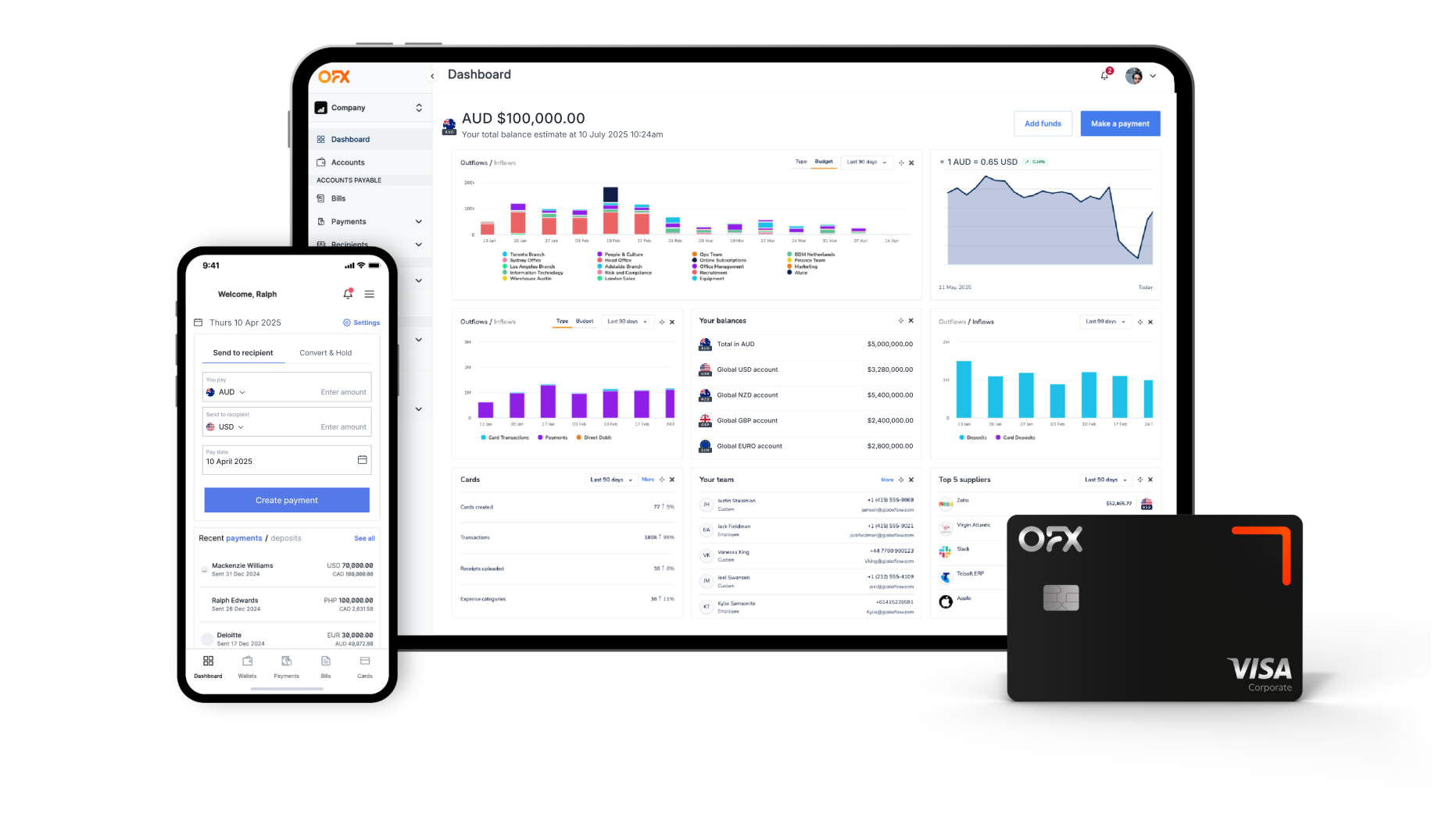
Why businesses choose OFX
Designed for Global Business Needs
The OFX Global Business Account empowers businesses to effortlessly send, receive, hold, and manage funds across more than 30 currencies, all through a single, intuitive platform. It provides local account details for key currencies such as AUD, USD, EUR, GBP, and CAD, enabling you to accept payments like a local and streamline international transactions.
Whether you’re paying overseas suppliers, compensating international contractors, or collecting revenue from global clients, OFX supports payments to over 180 countries worldwide. The batch payment feature allows you to process hundreds or thousands of payments simultaneously, complete with approval workflows and real-time tracking to keep your operations smooth and transparent.
Manage currency risk with confidence
Exchange rate fluctuations can impact your profits, but OFX offers practical FX solutions to help you mitigate this risk. With Forward Contracts, lock in favorable rates for up to 12 months to shield your business from market volatility. Limit Orders let you set target rates, automatically triggering transfers when those rates are met to maximize your currency advantage. OFX’s team of FX specialists is available to provide expert advice tailored to your transaction needs.
Comprehensive spending controls and oversight
Take control of your business finances with OFX’s Spend Management tools for setting approval workflows, managing spending limits, and administering both physical and virtual corporate cards. With multi-user permissions simplify compliance requirements and help prevent overspending.
Sophisticated expense management
Manually managing expenses is time-consuming and a major drain on productivity. Expense management tools powered by AI are transforming this process. With features like automated approvals, one-click receipt uploads, and OCR (optical character recognition) to extract data accurately and then match the expense to transactions with AI, significantly reduces manual errors.
Built-in policy enforcement helps ensure compliance and creates stronger audit trails, while real-time dashboards offer clear visibility into spending across departments, teams, and even countries. Faster reimbursements, direct deposits, and centralised data also make it easier to analyse trends and set smarter budgets.
The right software allows you to focus less on paperwork and more on running your business.
Easy integration with accounting systems
OFX offers accounting integrations to work seamlessly with popular accounting platforms such as Xero, QuickBooks, and Saasu, enabling effortless reconciliation and accurate reporting. Alternatively, you can export your data via CSV files for manual bookkeeping processes.
Dedicated support whenever you need it
With OFX, you gain access to knowledgeable local experts and dedicated account managers available 24/7, ensuring you receive personalised support without the frustration of long wait times or automated phone menus. Whether managing large payments or navigating dynamic market conditions, help is always just a call away.
Why global companies trust OFX:
• Advanced tools to protect against currency volatility
• Automation capabilities for high-volume payments
• Multi-currency accounts with local receiving options
• Tailored, expert support aligned with your business needs
If your company is expanding globally, dealing with complex international payments, or operating across multiple currencies, OFX offers the flexibility, transparency, and control essential for success in today’s interconnected marketplace.
See how the OFX Global Business Account can help you
FAQs
What is the Expensify Business Account?
Expensify is a cloud-based expense management platform that automates receipt capture, enforces policies, and integrates with accounting software.41
Are there monthly fees?
Yes, Expensify offers a Collect plan at $5 per user per month, with a free tier available.42
Can I manage expenses in multiple currencies?
Yes, Expensify supports multi-currency expense reporting, automatically converting expenses to the workspace’s default currency using daily average trading rates.43
Does Expensify support mobile expense submissions?
Absolutely. Expensify provides mobile apps for iOS and Android, allowing users to scan receipts, log mileage, track expenses, and submit reports on the go.44
Is customer support available?
Yes, Expensify offers 24/7 support via chat, email, phone, or video, ensuring assistance is available whenever needed.45
Sources
1,2,10,15,26,34,41 https://use.expensify.com
3,12,13,14,25,28,29,38,42 https://www.expensify.com/pricing
4,5,6,7,9,116,17 https://use.expensify.com/expense-management
8,18 https://use.expensify.com/blog/global-solution-expense-management
19. https://help.expensify.com/articles/new-expensify/settings/Encryption-and-Data-Security
20. https://security-profiles.nudgesecurity.com/app/expensify-com
21. https://help.expensify.com/articles/expensify-classic/settings/Two-Factor-Authentication
22. https://www.6clicks.com/resources/blog/soc-2-compliance-in-australia-information-security-for-fintech-firms
23 https://cynomi.com/learn/soc-2-compliance-checklist
24. https://www.6clicks.com/resources/blog/soc-2-compliance-in-australia-information-security-for-fintech-firms
27,31 https://use.expensify.com/all-features
30,32,33 https://use.expensify.com/ai-expense-management
37. https://use.expensify.com/global-reimbursements
39. https://integrately.com/integrations/expensify
40. https://finances.blog-facil.com/budgeting-saving/how-secure-is-expensify
43. https://help.expensify.com/articles/expensify-classic/workspaces/Set-Currency
44. https://use.expensify.com/expensify-mobile-app
45. https://use.expensify.com/support