
Key takeaways
- Key features to prioritise: corporate cards with spend controls, automated approval workflows, AI-powered receipt matching, and real-time accounting sync with Xero or QuickBooks.
- Companies implementing automated expense management software experienced a significant reduction in time spent on expense processing.
If your business is still processing piles of paper receipts or reconciling spending with spreadsheets, you’re not alone. Finance teams dedicate over 20 hours each month1 to manually processing expenses, and 76% of employees are still managing expenses using tools not intended for the task2. That’s a significant drain on productivity for any growing Australian business.
The right expense management software can automate approvals, track every dollar, and give you company-wide spending visibility in real time. The impact is measurable. Companies implementing automated expense management software experienced a significant reduction in time spent on expense processing.
Choosing the best solution can still feel overwhelming. This guide compares 10 of the most popular expense management platforms available in Australia, explains the features that matter most, and explores why many businesses are turning to Spend Management software to streamline their financial processes.
Summary:
• What is expense management software?
• Key features to look for in expense management software.
• Compare the top 10 expense management solutions in Australia.
• 10 of the best expense management software solutions in 2026
• What are the benefits of modern expense management systems?
• How to choose expense management software for your business.
• How expense management software saves time and money.
• Why are Australian businesses choosing OFX for expense management?
• Expense management software FAQs
What is expense management software?
Expense management software helps businesses track, approve, and control their spending. At its core, expense management software is designed to:
- Record employee expenses (like meals, travel, and subscriptions)
- Process expense claims and reimbursements
- Enforce company policies
- Integrate with accounting systems to simplify bookkeeping
Modern platforms cover the full expense lifecycle: capture, categorise, check against policy, approve, reimburse, and report. For Australian businesses managing both domestic and cross-border spending, this end-to-end automation removes the manual bottlenecks that slow down finance teams.
OFX is built for Australian CFOs, controllers, and finance teams who want to consolidate spend management, corporate cards, international payments, and accounting sync into one place, with transparent pricing and human support behind it.
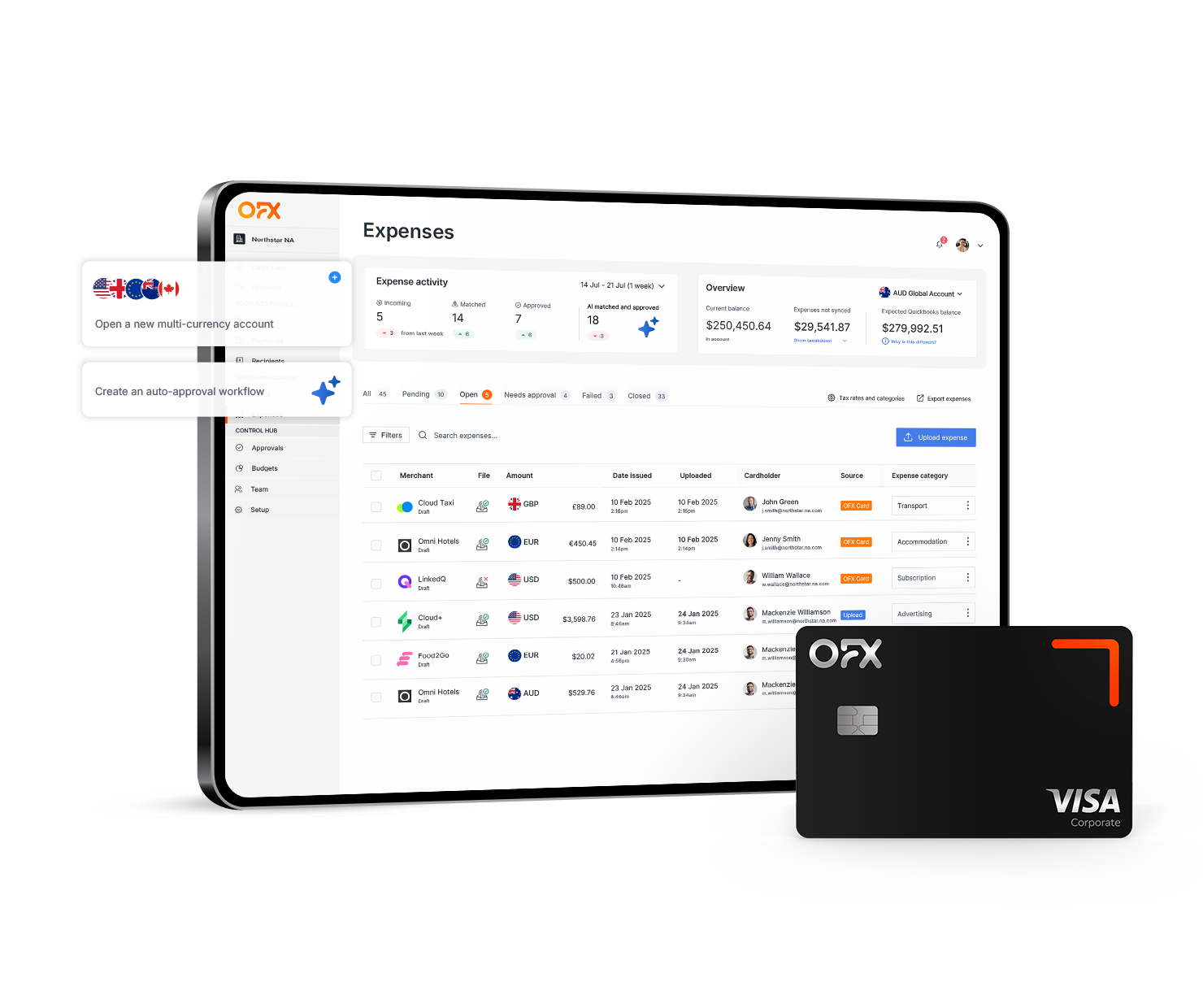
Smarter Spend Management with OFX
Track spend, issue corporate cards, and manage reimbursements all in one place with integrated expense management software.
Key features to look for in expense management software.
Before comparing individual platforms, it helps to understand the core feature categories that separate basic tools from comprehensive solutions. Here are the capabilities Australian businesses should prioritise.
Corporate cards with built-in spend controls.
Physical and virtual corporate cards let you issue cards to individual employees with pre-set spending limits, merchant category restrictions, and project-based budgets. This eliminates shared company cards and gives finance teams granular control over who spends what, where.
Mobile receipt capture and AI-powered OCR.
Receipt chasing is one of the biggest time drains in manual expense management. Modern platforms let employees snap a photo of a receipt on their phone, and OCR (optical character recognition) technology automatically extracts the merchant name, date, amount, and GST details.
AI-powered receipt matching takes this further by pairing receipts with corresponding card transactions automatically, reducing manual data entry to near zero.
Automated approval workflows and policy enforcement
Customisable approval workflows route expense claims to the right manager based on amount, category, or department. Multi-level approvals, delegation of authority, and automatic out-of-policy flagging keep spending compliant without creating bottlenecks.
The best platforms enforce policies at the point of purchase, so a card transaction that falls outside company guidelines is declined before the money leaves the account.
Real-time spend visibility and reporting
Real-time spend visibility gives finance leaders a live dashboard showing company-wide expenses by department, project, employee, or category. Interactive reports and real-time alerts help you spot trends, catch anomalies, and make informed budget decisions without waiting for month-end.
Employee reimbursement processing
For out-of-pocket expenses, look for platforms that handle reimbursements directly within the system. Employees submit claims, managers approve them, and funds are deposited into AUD bank accounts without requiring separate payroll runs or manual bank transfers.
Accounting integrations (Xero, QuickBooks, MYOB)
Two-way sync with accounting platforms such as Xero, QuickBooks, and MYOB is essential for Australian businesses. This means approved transactions, receipts, and GL codes flow automatically into your accounting system, reducing manual reconciliation and accelerating month-end close.
Some platforms also integrate with Employment Hero for Australian payroll and HR workflows. If you’re already using Xero for your books, check whether the expense tool offers native integration, as Xero’s own expense features (through the Xero Me app) cover basic receipt scanning and mileage claims but lack corporate cards and advanced spend controls.
Compare the top 10 expense management solutions in Australia.
This table provides a quick-scan comparison of the 10 platforms reviewed in this guide. Use it to narrow your shortlist before reading the detailed reviews below.
| Platform | Best for | Monthly price (AUD) | Multi-currency | Corporate cards | GST/BAS support | Approval workflows | Accounting Integrations |
|---|---|---|---|---|---|---|---|
| OFX | Cross-border SMEs | Standard $0; Full Suite $75/mo (5 users) + $10/extra user14 | Yes (30+) | Physical + virtual (unlimited) | Yes | Yes | Xero, QuickBooks |
| Airwallex | International operations | $99 for 2 spend users/month + $15/additional active spend user/month22 | Yes | Physical + virtual | Yes | Yes | Xero, QuickBooks, NetSuite |
| Expensify | Growing teams | $8 per user/month16 | Limited | Virtual (Expensify Card) | Limited | Yes | QuickBooks, Xero, NetSuite, Sage |
| SAP Concur | Enterprise | Contact for pricing | Yes | Via integrations | Yes | Yes (advanced) | Sap,QuickBooks, Xero, NetSuite, Microsoft Dynamics, Sage |
| MYOB | Sole traders, small SMEs | $5.50–$82.50/m19 | No | No | Yes (native) | Basic | Via third-party |
| QuickBooks | SMEs using QuickBooks ecosystem | $18-$37.50/m18 | Limited | No | Yes | Basic | QuickBooks |
| Xero | SMEs using Xero ecosystem | $15-$26/m15 | Limited | No (via partners) | Yes (native) | Basic | Xero |
| Volopay | APAC businesses | From $25/m20 | Yes | Physical + virtual | Yes | Yes | Xero, QuickBooks, MYOB, NetSuite |
| Weel | Department-level budgeting | $135/m23 | Limited | Virtual + physical | Yes | Yes | Xero, QuickBooks, MYOB, |
| Zoho Expense | Budget-conscious teams | Free (up to 3 users); paid from $4.40/user/m21 | Yes | No | Limited | Yes | QuickBooks, Xero, NetSuite, Sage |
10 of the best expense management software solutions in 2026
Here’s a detailed look at each platform, covering what it does, what it costs, and where it fits best.
1. OFX
Best for: Australian SMEs with international operations and cross-border payment needs.
OFX brings something unique to the Australian market: an all-in-one platform for international payments, currency exchange, and expense management. With its multi-currency Corporate Cards, AI-powered receipt matching, and built-in spend controls, OFX gives finance teams full visibility over cross-border and domestic expenses in a single dashboard.
Pricing: Standard plan at $0/user/month14; Full Suite at $75/month for 5 users, plus $10 per additional user. A 30-day free trial includes full access to Corporate Cards and AP automation.
| Pros | Cons |
|---|---|
| Unlimited physical and virtual Corporate Cards with per-card spend limits | Best value is unlocked on the Full Suite plan |
| 30+ currencies supported with no FX fees on held balances | |
| Two-way Xero and QuickBooks sync, plus Employment Hero integration in Australia | |
| 24/7 human support and ISO 27001:2022 certified security |
2. Airwallex
Best for: Businesses with significant international operations across APAC and beyond.
Airwallex offers expense management through corporate cards and built-in budget controls. It supports multi-currency transactions, making it valuable for businesses with overseas teams. Airwallex also provides global accounts for collecting payments in local currencies.
Pricing: $99 for 2 spend users/month + $15/additional active spend user/month22.
| Pros | Cons |
|---|---|
| Physical and virtual corporate cards with real-time tracking | Not suitable for sole traders or micro-businesses with basic needs |
| Multi-currency global accounts for receiving and holding funds | |
| Xero and MYOB integrations | |
| Australian compliance features including GST tracking |
3. Expensify
Best for: Mid-sized teams needing strong automation and mobile-first expense submission.
Expensify helps automate expense tracking with tools like receipt scanning, automatic categorisation, and mobile approvals. It integrates well with platforms like Xero and NetSuite, making it a popular choice for growing businesses.
Pricing: From $8 per user/per month16.
| Pros | Cons |
|---|---|
| SmartScan OCR for fast, accurate receipt capture | Per-user pricing can become costly for larger teams |
| Automatic expense categorisation and policy flagging | GST and BAS support is limited compared to AU-native platforms |
| Broad integration library including Xero, QuickBooks, and NetSuite | Customer support response times can vary |
| Expensify Card with cashback incentives |
4. SAP Concur
Best for: Large enterprises with complex, multi-entity expense workflows.
SAP Concur offers an enterprise-grade solution that combines travel, invoice, and expense management. It supports mobile expense reporting, custom approval flows, and integration with enterprise resource planning (ERP) systems. Concur is best suited to large companies with complex approval needs and in-house IT support.
Pricing: Contact SAP Concur for a custom quote.
| Pros | Cons |
|---|---|
| Comprehensive travel and expense management in one platform | Implementation can take weeks and often requires dedicated IT resources |
| Highly customisable approval hierarchies and policy enforcement | Pricing is significantly higher than mid-market alternatives |
| Strong ERP integrations (SAP, Oracle, Microsoft Dynamics) | Interface can feel dated compared to modern platforms |
| Robust audit trail and compliance features |
5. MYOB
Best for: Sole traders and small Australian businesses focused on domestic operations.
MYOB is a go-to solution for Australian SMEs, offering GST tracking, payroll, and invoicing. Its expense features are basic but effective for smaller domestic operations, with native BAS support that simplifies quarterly lodgement.
Pricing: $5.50–$82.50 per month19
| Pros | Cons |
|---|---|
| Native GST and BAS support designed for Australian tax requirements | Lacks corporate cards and advanced spend controls |
| Integrated payroll for Australian businesses | No multi-currency support, making it unsuitable for cross-border businesses |
| Affordable entry-level pricing | Expense features are limited compared to dedicated platforms |
| Well-established local customer support |
6. QuickBooks
Best for: Small businesses wanting accounting and basic expense tracking in one platform.
QuickBooks delivers all-in-one accounting and expense management. Features include receipt scanning, category tagging, and integration with apps like PayPal and Shopify. QuickBooks is affordable and scalable for domestic operations.
Pricing: $18-$37.50 per month18
| Pros | Cons |
|---|---|
| Affordable entry point with scalable plan tiers | Lacks dedicated corporate cards |
| Receipt capture and automatic categorisation | Advanced features can be complex to configure without accounting expertise |
| Strong integration ecosystem (PayPal, Shopify, Square) | Multi-currency support is limited on lower-tier plans |
| GST tracking for Australian businesses |
7. Xero
Best for: SMEs already using the Xero ecosystem for accounting.
Xero is a leading cloud-based accounting platform popular among Australian small businesses. It includes features for tracking reimbursements, managing bills, and syncing with banks. The Xero Me app adds basic expense submission with receipt scanning and mileage claims.
Pricing: $15-$26 per month15
| Pros | Cons |
|---|---|
| Native GST and BAS reporting for Australian businesses | No corporate cards (requires a third-party integration) |
| Xero Me app enables mobile expense submission | Expense features are basic compared to dedicated platforms |
| Extensive third-party app marketplace for added functionality | Advanced approval workflows aren’t available natively |
| Strong bank feed integrations across Australian financial institutions |
8. Volopay
Best for: APAC-based businesses needing corporate cards with granular spend controls.
Volopay is a modern financial platform built for APAC businesses. It provides virtual and physical corporate cards, custom workflows, and real-time tracking. Volopay also integrates with Xero and MYOB, making it a flexible solution for regional companies needing robust spend control.
Pricing: From $25 per month20
| Pros | Cons |
|---|---|
| Physical and virtual corporate cards with per-card limits | Pricing isn’t publicly available |
| Customisable multi-level approval workflows | Smaller integration ecosystem compared to larger platforms |
| Real-time spend tracking and budget management | Limited presence outside APAC markets |
| Xero and MYOB integrations |
9. Weel
Best for: Australian businesses wanting department-level and project-level spend controls.
Weel is an Australian fintech that offers virtual and physical cards, expense automation, and budget management tools. It’s popular among finance teams who want tight control over department or project-based spending.
Pricing: $135 per month23
| Pros | Cons |
|---|---|
| Virtual and physical cards with instant issuance | Multi-currency support is limited compared to internationally focused platforms |
| Strong budget management by department, project, or team | Primarily designed for smaller teams, which may limit scalability for larger organisations |
| Xero and MYOB integrations | No built-in international payment capabilities |
| Australian-based support and compliance |
10. Zoho Expense
Best for: Budget-conscious small teams, especially those already using Zoho’s software suite.
Part of the Zoho suite, Zoho Expense allows for travel booking, automated expense claims, and mobile submission. Its strength lies in integration across Zoho’s CRM and finance tools, and it offers one of the few free plans on the market.
Pricing: Free for up to 3 users; paid plans from $4.40per user/per month21
| Pros | Cons |
|---|---|
| Free plan for up to 3 users with core expense features | GST and BAS support is limited for Australian-specific requirements |
| Automated mileage tracking and travel booking | No corporate cards offered natively |
| Strong integration with Zoho CRM, Books, and other Zoho apps | Full functionality requires other Zoho products for best results |
| Multi-currency expense support |
What are the benefits of modern expense management systems?
Modern expense management systems provide advantages that directly impact your bottom line. By transitioning from manual processes to automated solutions, you can experience benefits across multiple areas of your business operations.
Operational efficiency.
- Reduced processing costs: Automated systems can cut expense processing costs compared to manual methods.
- Faster month-end close: OCR technology decreases data entry time by 50%-80% 3 or more, allowing your team to focus on strategic work
Compliance and risk reduction.
- Policy enforcement at the point of purchase: Corporate cards with built-in spend limits and merchant restrictions prevent out-of-policy expenses before they occur.
- Complete audit trails: Every submission, approval, edit, and rejection is logged with timestamps, making ATO audits and internal reviews straightforward.
- Fraud detection: Automated flagging of duplicate claims, unusual patterns, and out-of-policy spending reduces the risk of fraudulent expense claims.
Cash flow and financial visibility.
- Real-time budget tracking: Finance teams can monitor spending against budgets in real time, rather than discovering overruns weeks after the fact.
- Better supplier negotiations: Detailed spend data helps identify volume patterns, giving your team leverage to negotiate better rates with vendors and travel providers.
- Optimised cash flow: Knowing exactly what’s been spent, approved, and pending helps with accurate forecasting and liquidity planning.
Employee experience.
- Faster reimbursements: Automated processing reduces the wait time between expense submission and reimbursement, improving staff satisfaction.
- Mobile-first submission: Employees can capture and submit expenses on the go, rather than saving receipts for weeks and doing a batch submission.
How to choose expense management software for your business.
The right platform depends on your business size, operational complexity, and whether you operate across borders. Here’s a quick framework:
- Domestic-only small business (under 20 employees): If your expenses are primarily domestic and your team is small, MYOB, QuickBooks, or Zoho Expense offer affordable options with basic expense tracking and native GST support.
- Growing SME with cross-border needs: For businesses paying overseas suppliers, managing multi-currency expenses, or expanding internationally, OFX or Airwallex offer the multi-currency support and corporate card controls that domestic-focused tools lack.
- Mid-market multi-entity business: If you’re managing expenses across multiple entities, departments, or locations, look for platforms with advanced approval workflows, department-level budgeting, and robust reporting. Volopay, Weel, and OFX’s Full Suite plan are strong options here.
- Enterprise with complex ERP requirements: Large organisations with existing SAP or Oracle infrastructure will likely benefit from SAP Concur’s deep ERP integrations and customisable compliance frameworks.
Before you commit, define your expense policy clearly. The most common implementation mistake is adopting software before establishing clear rules about what’s reimbursable, who approves it, and what the spending limits are. Get stakeholder buy-in from finance, operations, and department heads early, and use the first 30 days (many platforms offer free trials) to test the approval workflows with a small team before rolling out company-wide.
How expense management software saves time and money.
The ROI of expense management software extends well beyond convenience. Here are the measurable outcomes Australian businesses can expect:
- Processing time: Manual expense reports take an average of 20+ hours per month1 for finance teams. Automated platforms reduce this to a fraction of that time through OCR capture, auto-categorisation, and one-click approvals.
- Error reduction: Manual data entry introduces errors that compound at reconciliation. Automated receipt matching and accounting sync reduce discrepancies and eliminate re-work.
- Increase visibility: Access real-time dashboards that track spending across departments, teams, and even countries.
- Policy compliance: Software that enforces spending rules at the point of purchase prevents non-compliant expenses entirely, rather than catching them after the fact.
- Employee productivity: When staff spend less time filling out paper expense forms and chasing approvals, they can focus on higher-value work. Faster reimbursements also improve morale and reduce out-of-pocket burden.
For a growing Australian business, even modest improvements in processing speed and error reduction can save thousands of dollars annually, and the gains compound as your team scales.
Why are Australian businesses choosing OFX for expense management?
OFX combines expense management, international payments, and multi-currency accounts into a single platform built for businesses that operate across borders. Here’s what sets it apart:
- Unlimited Corporate Cards: Issue physical and virtual cards to every team member with individual spend limits, merchant category restrictions, and real-time transaction visibility.
- Multi-currency power: Hold, send, and receive in 30+ currencies through the OFX Global Business Account, with no FX fees on held balances.
- AI-powered receipt matching: Receipts are automatically paired with card transactions, reducing manual reconciliation to near zero.
- Seamless accounting sync: Two-way integration with Xero and QuickBooks, plus Employment Hero compatibility for Australian payroll workflows.
- 24/7 human support: Access a dedicated team any time, not a chatbot.
- Security you can trust: ISO 27001:2022 certified, with regulated operations across Australia, the UK, the US, and beyond.
- Flexible pricing: Standard plan at $0/user/month for core features; Full Suite at $75/month for 5 users (plus $10 per additional user) including Corporate Cards, AP automation, and advanced reporting.
Start with a 30-day free trial to test the full platform.
OFX is built for Australian CFOs, controllers, and finance teams who want to consolidate spend management, corporate cards, international payments, and accounting sync into one place, with transparent pricing and human support behind it.
Expense management software FAQs
What is the best expense management software for small businesses in Australia?
The best platform depends on your size, compliance needs, and whether you operate internationally. OFX, Airwallex, MYOB, and Zoho Expense all offer strong options for small Australian teams. For domestic-only businesses, MYOB and QuickBooks provide affordable GST-ready solutions. For businesses with cross-border needs, OFX’s Standard plan starts at $0 month and includes multi-currency Corporate Cards.
What’s the difference between expense management software and accounting software?
Expense management software focuses specifically on tracking, approving, and reimbursing employee spending, while accounting software manages your company’s full financial record including revenue, payroll, and reporting. Many businesses use both together. Platforms like Xero and QuickBooks are primarily accounting tools with basic expense features, while OFX, Expensify, and Weel are purpose-built for expense management and integrate with your accounting system.
How much does expense management software cost?
Pricing varies widely. Some platforms are free as revenue is generated through card interchange. Others charge per user, or on a tiered subscription basis. Factor in per-user fees, implementation costs, card program charges, and any hidden FX markups for international transactions to understand the true total cost of ownership.
How long does it take to implement expense management software?
Simple platforms can be set up within a day, while comprehensive solutions with ERP integrations and multi-entity workflows may take several weeks to fully deploy. OFX’s onboarding is designed for speed, with most teams issuing Corporate Cards and processing expenses within the first few days of signing up.
What are the top expense management software solutions in Australia in 2026?
Here are some of the top expense software solutions in Australia:
- OFX
- Airwallex
- Expensify
- SAP Concur
- MYOB
- QuickBooks
- Xero
- Volopay
- Weel
- Zoho Expense
What is the most commonly used accounting software in Australia?
Xero and MYOB are the two most widely used accounting platforms among Australian small and mid-sized businesses. Both integrate with most leading expense management tools, so compatibility is rarely an issue. QuickBooks Online is also growing its presence in Australia, particularly among businesses with US parent companies or international operations.
Does Excel have an expense tracker?
Microsoft Excel offers customizable spreadsheet templates for basic expense tracking, but it lacks automated receipt capture, approval workflows, and real-time reporting that dedicated expense management software provides. For businesses processing more than a handful of expense claims per month, a purpose-built platform will save significant time and reduce errors.
How does expense management software integrate with accounting tools?
Most platforms offer direct integrations with Xero, QuickBooks, and MYOB that sync transactions, receipts, and GL codes automatically, reducing manual reconciliation at month-end. Two-way sync means changes in either system are reflected in the other. OFX offers two-way Xero and QuickBooks integration, plus Employment Hero compatibility for Australian payroll.
Is there free expense management software available in Australia?
Zoho Expense offers a free plan for up to 3 users with core expense tracking features. OFX provides a 30-day free trial with Full Suite access, including Corporate Cards and AP automation, so you can test the complete platform before committing. Several other platforms offer limited free tiers, but most full-featured solutions require a paid subscription.
What’s the difference between expense management and spend management?
Expense management handles everyday employee costs such as travel, meals, and subscriptions. Spend management covers the broader picture: budgets, vendor payments, procurement, and policy enforcement across the entire business. OFX’s platform bridges both, combining Corporate Cards and expense tracking with AP automation, international payments, and budget controls in a single system.
Looking for a better way to manage
your business expense?
Sources
- https://www.cpapracticeadvisor.com/2020/08/03/finance-departments-spending-520-hours-per-year-on-manual-ap-tasks/39599/
- https://www.prnewswire.com/news-releases/the-evolution-of-expense-management-tools-in-2026-findity-ab-302747056.html
- https://www.peeriosity.com/shared-services/articles/2018/04/improving-accounts-payable-processing-efficiency-through-ocr-technology/
- https://www.ofx.com/en-au/business/spend-management/
- https://www.prnewswire.com/news-releases/expense-management-evolves-more-employees-managing-expenses-drives-rise-of-expense-apps-302419607.html
- https://www.expensify.com/
- https://www.concur.com.au/expense-trial-lp
- https://www.myob.com/au/features/expense-management-software
- https://quickbooks.intuit.com/au/expenses/
- https://www.volopay.com/au/
- https://www.zoho.com/au/expense/
- https://www.airwallex.com/au/spend-management/expense-management
- https://letsweel.com/about
- https://www.ofx.com/en-au/business/pricing/
- https://www.xero.com/au/pricing-plans/
- https://www.expensify.com/pricing
- https://www.concur.com.au/expense-trial-lp
- https://quickbooks.intuit.com/au/pricing/
- https://www.myob.com/au/pricing
- https://www.volopay.com/au/pricing/
- https://www.zoho.com/au/expense/pricing/
- https://www.airwallex.com/au/pricing
- https://letsweel.com/pricing
IMPORTANT: This article was written in June 2026. The information is based on our online research at time of publication. This publication is provided for general information purposes and a reader should consider the specific requirements of their business when evaluating providers. This information does not constitute legal, tax or other professional advice from OZForex Limited or its affiliates, and it is not intended as a substitute for obtaining advice from a financial advisor or any other professional. If you would like to request updated information, please contact us at business@ofx.com. Please see our product disclosure, target market determinations and pricing pages for the most up to date OFX pricing and fee information.