Key takeaways
- The best digital business bank accounts combine digital opening, low fees, accounting sync and strong international payments.
- Banks add branches, cash handling and lending. Fintech providers add spend controls, multi-currency tools and global payments.
- The OFX Global Business Account gives you local details in AUD, USD, CAD, GBP and EUR1, with international payments in 30+ currencies1.
- Look past the monthly fee. Transfer, card and FX costs add up.
Growing Australian businesses need accounts that move as fast as they do, yet branch-bound processes and hard-to-compare fees, especially on international payments, slow them down. This guide compares the best online business bank accounts from banks and fintech providers, with fees, selection tips and steps to open one online.
Jump to:
• What a digital business account is
• Types of online business accounts
• Best digital business bank accounts and fintech providers in Australia
• Compare online business accounts: fees and features
• How to choose the best online business account
• How to open a business account online
• Why consider OFX (on its own or alongside your bank)
• FAQs about the best digital business accounts
Best digital business bank accounts: what an online business account is.
The best online business bank accounts combine digital opening, low or no monthly fees, accounting sync and strong international payments. In Australia, the shortlist includes NAB, CommBank, Westpac and ANZ, plus fintech providers such as the OFX Global Business Account, Wise and Airwallex.
An online business bank account is an account in your business’s name that you open and run digitally. You apply online, manage payments in an app and pay in real time with PayID and Osko.
The Reserve Bank of Australia’s 2025 Consumer Payments Survey shows electronic payments such as cards have grown over recent decades, while cash use has stabilised.2
The Australian Bureau of Statistics (ABS) counted 2,814,7783 actively trading businesses at June 30, 2026, and 996,2033 of them employ staff. Banks and fintech providers both serve them online.
Do you need a separate business account?
Partnerships, companies and trusts must have a separate business bank account for tax purposes, according to business.gov.au4. Sole traders don’t have to, but a separate account keeps records cleaner.
Benefits of banking your business online:
- Keep business and personal money apart.
- Reconcile faster at month end and tax time.
- Look more established to clients and suppliers.
- Approve and pay from anywhere, in real time.
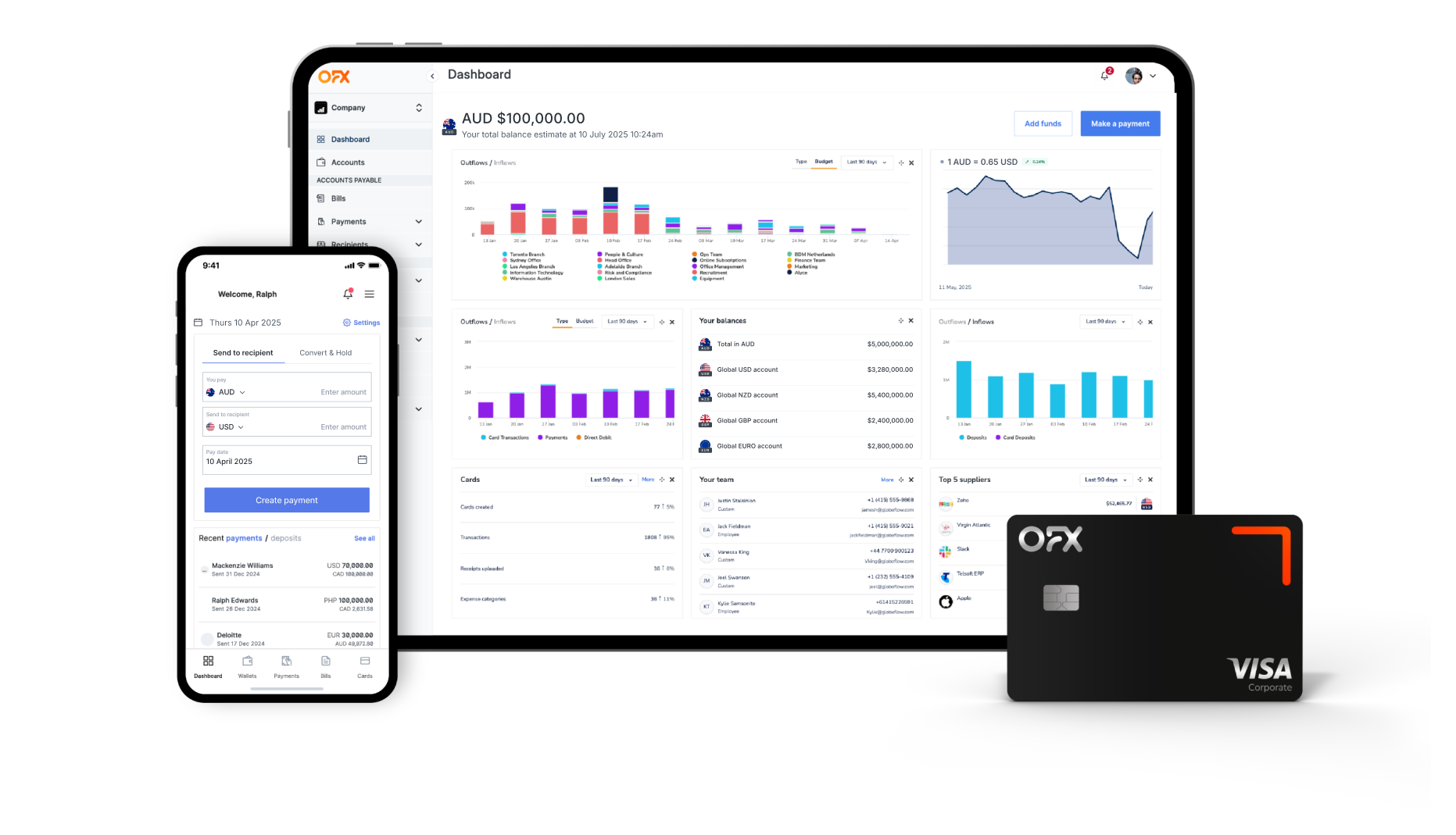
With the OFX Business App, you can track spend and approve payments on the go.
OFX Global Business Account
Receive, hold, convert and send funds across a wide range of currencies, reduce costs and gain greater control over your international payments.
Types of online business accounts.
Most providers offer a few core account types. For a wider view, see our guide to the best business bank accounts in Australia.
| Account type | What it’s for | Who offers it |
|---|---|---|
| Business transaction account | Day-to-day receipts, payroll and bills | Banks and fintech providers |
| Business savings account | Holding reserves and earning interest | Mainly banks |
| Multi-currency business account | Holding, paying and getting paid in other currencies | Fintech providers; some banks offer foreign currency accounts |
Specialist accounts, such as trust or farm management accounts, suit specific industries and structures.
Business transaction accounts.
A business transaction account is your working account for customer receipts, payroll, bills and your debit card. Each major bank offers a no fee business bank account option with no monthly account fee.
Business savings accounts.
A business savings account lets you earn interest on spare cash. Some providers offer savings accounts or term deposits, including AMP Bank5, Macquarie6 and Great Southern Bank7.
Rates change often, so check each provider’s site for current rates.
Multi-currency and global business accounts.
A multi-currency business account gives you local details in other countries. According to the ABS, Australia’s goods and services exports were A$665.2 billion and imports A$658.3 billion in 2025.8
You can hold balances, pay suppliers and convert when rates suit you. Some call it an international business account.
For importers, exporters and businesses with global clients, this is often the deciding factor.
The OFX Global Business Account gives you multi-currency accounts allowing you to hold and pay in 30+ currencies1. With local details in major currencies where you can receive and pay via local rails.
Bank accounts vs fintech business accounts.
Banks are authorised deposit-taking institutions (ADIs). They offer deposit accounts, often with lending, cash handling and branches.
Fintech business accounts are online-first, with payments, cards, spend controls, Accounts Payable (AP) automation and multi-currency in one platform. The best business bank accounts Australia has today include both.
Best digital business bank accounts and fintech providers in Australia.
Here’s our pick of the best online business bank accounts Australia offers, across banks and fintech providers. Each profile covers who it suits, key features and fees at a glance.
OFX Global Business Account
Best for: businesses that pay and get paid internationally and want one online business account for it all.
Receive, hold and and send international payments in 30+ currencies1 with local details in AUD, USD, CAD, GBP and EUR1. Run Corporate Cards, spend management, AP automation and approvals in one place.
Lock in rates with Forward Contracts* and Limit Orders^, and sync with Xero and QuickBooks Online.
The Standard plan is A$0 per month. Full Suite is A$75/month including 5 users1, plus A$10/month per additional user1.
NAB Business Everyday Account
Best for: businesses wanting a major bank with a no-monthly-fee option and branch backup.
Choose an A$09 or A$109 monthly fee option. The paid option includes 1510 free eligible transactions a month.
Online international transfers sent in foreign currency cost A$09.
Watch-out: the card international transaction fee is 3%9, and the transfer FX margin isn’t disclosed.
CommBank Business Transaction Account
Best for: businesses wanting a large branch network plus the CommBiz platform.
Pick an A$011 or A$1011 monthly fee option through an online application. Manage payments in CommBiz or NetBank.
Watch-out: the card international transaction fee is 3.5%11, and the transfer FX margin isn’t published.
Westpac Business One
Best for: low-cost digital banking with a major bank.
Business One has an A$012 monthly fee. Business One Plus costs A$1012 a month with 512 free transactions.
An online application is available, and welcome offers may be available.
Watch-out: staff-assisted transactions cost A$313, and the foreign transaction fee is 3%14.
ANZ Business Essentials
Best for: simple, low-cost day-to-day banking.
Business Essentials has an A$015 monthly fee, and Business Extra costs A$1015 a month. You can apply online.
Watch-out: the overseas transaction fee is 3%15, and the FX margin isn’t disclosed.
Macquarie Business
Best for: businesses wanting a digital-first bank with savings options.
Macquarie offers business transaction and savings accounts, with A$016 account keeping and transaction fees. International transfers carry no Macquarie fee17, though correspondent banks may charge, and the FX margin isn’t published.
Wise Business
Best for: simple pay-as-you-go transfers with no monthly fee.
There’s no monthly fee and a one-off A$6518 set-up fee. Transfers start from 0.19%18, and conversion fees vary by currency. The card has no foreign transaction fee, though conversion fees still apply.
Watch-out: costs differ by currency route, so price each one you use.
Airwallex
Best for: eCommerce and API-heavy businesses.
Explore costs A$2919/month, waivable if you meet deposit or balance conditions. Grow is A$9919/month, Accelerate is from A$99919/month, and Custom plans are available.
Airwallex also offers a yield product.
Watch-out: FX conversion is 0.5%20 for major currencies and 1.0%20 for others, on top of the plan fee.
Revolut Business
Best for: businesses that want tiered plans with bundled FX allowances.
Plans are Basic from A$1521/month and Grow from A$3021/month (annual billing). Scale and Enterprise plans are also available.
Watch-out: on the Basic plan, FX is 0%22 within your allowance, 0.6%22 over it and 1%22 out of hours.
Zeller
Best for: hospitality and retail businesses already using Zeller payment terminals.
Zeller pairs a business transaction account with its in-person payment tools. The Transaction Account has an A$023 monthly fee.
Other banks to consider.
ING24 offers business savings accounts and term deposits. Suncorp Bank25, BOQ26 and Bendigo Bank27 offer business accounts, as does Great Southern Bank.
Check each provider’s site for current fees.
Among fintech providers, WorldFirst has an A$028 monthly fee, with other payments from 0.4%28, capped at A$1528.
Compare online business accounts: fees and features.
Here’s how the best online business bank accounts Australia offers compare. A no fee business bank account can still carry transfer, card and FX costs, so read across each row.
| Provider | Type | Monthly fee (all plans) | Corporate card | International transfer and FX fees | Multi-currency accounts | Best for |
|---|---|---|---|---|---|---|
| OFX Global Business Account | Fintech (non-bank) | Standard A$0 per user/month1; Full Suite A$75/month including 5 users1, plus A$10/month per additional user1; Custom plans available | Corporate Cards (physical and virtual); spend directly from held balances in multiple currencies29, with no foreign transaction fee when spending from held currency balances1 | A$10 per SWIFT payment1; FX cost built into the exchange rate; see OFX’s pricing page | Yes: local details in AUD, USD, CAD, GBP, EUR1; 30+ currencies1 | International payments and multi-currency |
| NAB Business Everyday Account | Bank | A$09option; A$109option with 1510 free eligible transactions a month | Business Visa Debit; A$030 monthly card fee; 3%9 international transaction fee; spending from foreign currency balances not stated | A$09 for online transfers sent in foreign currency; transfer FX margin not published | Foreign currency account in 1631 currencies; no monthly account fee | Major bank with a no-monthly-fee option and branch network |
| CommBank Business Transaction Account | Bank | A$011 option; A$1011 option | Business Visa Debit, free to order32; 3.5%11 international transaction fee; spending from foreign currency balances not stated | Transfer FX margin not published | Foreign currency accounts, one currency per account; A$033 monthly account fee | Large branch network plus the CommBiz platform |
| Westpac Business One | Bank | Business One A$012; Business One Plus A$1012/month with 512 free transactions | Business debit card; 3%14 foreign transaction fee overseas (2.2%12 for foreign-currency payments to Australian merchants) | Transfer FX margin not published | Foreign currency account in 1234 currencies online; no monthly account keeping fee | Low-cost digital banking with a major bank |
| ANZ Business Essentials | Bank | Business Essentials A$015; Business Extra A$1015/month | Business Visa Debit at no extra cost35; 3%15 overseas transaction fee; A$515 overseas ATM fee | International transfer fees and FX margin not stated by provider | Not stated for business transaction accounts | Simple, low-cost day-to-day banking |
| Macquarie Business | Bank | A$016 account keeping and transaction fees | No debit card on business accounts16; Business Bank clients can apply for Macquarie Visa credit cards. | Transfer FX margin not published by provider; incoming international payments must be in AUD; | No foreign currency account offered | Digital-first bank with savings options |
| Wise Business | Fintech (non-bank) | Basic free; Advanced one-off A$6518 set-up fee; no monthly fee | Multi-currency card: first card free, then A$618 per card; no foreign transaction fee (conversion fees still apply) | FX conversion fee from 0.19%18 and up to 2%44 depending on route, amount and method, sending or receiving via SWIFT additional fees apply18 and sending same-currency cross-border fees apply20 | Hold 40+18 currencies | Simple pay-as-you-go transfers |
| Airwallex | Fintech (non-bank) | Explore A$036 or A$2919/month (A$036 with deposit or balance conditions); Grow A$9919/month; Accelerate from A$99919/month; Custom | Multi-currency company and employee cards with zero international fees37; spend from held balances to avoid conversion | FX 0.5%20 major currencies; 1.0%20 other currencies | Local details in 20+36 currencies | eCommerce and API-heavy businesses |
| Revolut Business | Fintech (non-bank) | Basic from A$1521/month; Grow from A$3021/month (annual billing); Scale and Enterprise plans also available | First non-metal card per team member A$022; additional cards A$9.9922; virtual cards A$022; card foreign transaction fee not stated | Basic plan FX: 0%22 within allowance; 0.6%22 over allowance; 1%22 out of hours; A$1022 per international transfer | Send and receive in 30+21 currencies | Tiered plans with bundled FX allowances |
| Zeller | Fintech (non-bank) | Transaction Account A$023/month; Corporate Cards A$923 per active card per month | Free physical and virtual Mastercard debit cards23; Zeller says international purchases convert at Mastercard’s rate38, and its pricing page refers to a low FX margin | AUD transaction account only | AUD transaction account; no foreign currency balances stated by provider | Hospitality and retail businesses using Zeller terminals |
| WorldFirst | Fintech (non-bank) | A$028 ongoing account fees | Mastercard business debit cards (physical and virtual); 0%39 FX in 1539 major currencies when paying from held balances | Transfers from 0.4%28, capped at A$1528 | Hold 20+28 currencies | Marketplace and online sellers paid in multiple currencies |
Fees checked November 2026. Visa is a trademark owned by Visa International Service Association and used under license.
How to choose the best online business account.
The right account fits how your finance team works. Start with total cost.
Total fees, including international payments.
Add up the monthly fee, transaction or staff-assisted fees, international transfer fees and FX conversion. These costs compound as you grow.
Card international transaction fees are 3%9 at NAB, 3.5%11 at CommBank, 3%15 at ANZ and 3%14 at Westpac. So a no fee business bank account can still cost more once you spend overseas.
Digital onboarding and app experience.
Check how the application works, how ID is verified and whether the app supports multiple users. Look for PayID, Osko and mobile wallet support too.
PayID and Osko run on the New Payments Platform (NPP). According to Australian Payments Plus, the NPP connects over 100 banks, financial institutions and fintechs and facilitates around A$8 billion of payments each day.40
Westpac and CommBank both offer an online application. With OFX, you can open an account in minutes.
Accounting integrations.
Direct sync with Xero and QuickBooks Online cuts manual reconciliation. Check whether it’s a simple bank feed or a deeper integration.
OFX offers a Xero integration and syncs with QuickBooks Online, so your books stay current. See how growing SMEs save time with accounting integrations.
International payments and multi-currency.
If you pay overseas suppliers or bill global clients, this is where accounts differ most. Compare local details, currencies supported, payment rails and FX tools.
OFX is built for this. The OFX Global Business Account works as an international business account and a multi-currency business account in one.
Local payment rails speed up settlement. Forward Contracts* and Limit Orders^ help you manage currency swings.
Controls for growing teams..
As headcount grows, look for approval workflows, spend limits, corporate debit cards, batch payments and an audit trail.
With OFX, you can set budgets and control spend with spend management. AI-powered AP automation captures invoices and schedules payments.
Batch and payroll payments pay suppliers and staff in one upload.
Security, regulation and protection.
Banks are ADIs regulated by the Australian Prudential Regulation Authority (APRA). Under the Financial Claims Scheme, deposits are protected up to A$250,00041 per account holder per ADI, for AUD deposits only.
A business that provides financial services generally needs an Australian financial services (AFS) licence42 from the Australian Securities and Investments Commission (ASIC). Whichever online business bank account you choose, check the provider’s licence and complaints process.
In Australia, OFX is registered as a financial service provider and regulated by ASIC (AFS Licence number 226 48443). OFX is not a bank, and so you are not protected by the Financial Claims Scheme when you send money with OFX. Learn more about how OFX keeps your money and information secure.
Your security is our priority. OFX is regulated by 50+ regulators globally43, is ISO/IEC 27001:2022 certified and is a member of the Australian Financial Complaints Authority (AFCA).
Advanced transaction monitoring, FX specialists, and a risk-averse payout model where funds are only released once received, add layers of control to every payment.
Support when you need it.
Check when support is available and whether you’ll reach a person. Some providers also offer lending, overdrafts or cash handling.
OFX FX specialists are available 24/7.
Using a bank and a fintech account together.
Some businesses run everything through one online business account. Others pair it with a bank account.
Many OFX clients keep a bank account for legal or borrowing purposes. They use an OFX Global Business Account to save time and money on financial operations and currency transfers.
Moving money between the two is a simple local transfer.
How to open a business account online.
Here’s how to open a business bank account online, step by step.
- Confirm your business structure and ABN with ABN Lookup.
- Gather your business name, address, ABN or ACN, industry and ID for each owner, partner or director, as listed by business.gov.au4.
- Compare providers, then apply online.
- Verify your identity through Know Your Customer (KYC) checks.
- Connect your accounting software, add users and set approvals.
With OFX, registration typically takes under 10 minutes online. Verification typically takes 2–3 business days, with platform access meanwhile.
Why consider OFX (on its own or alongside your bank)
OFX offers two plans designed for different needs.
- Standard is A$0 a month and includes an OFX Global Business Account and corporate debit cards. Send payments to 180+ countries in 30+ currencies.
- Full Suite is A$75 a month including 5 users, plus A$10 a month per additional user. It adds approval workflows, spend management and AP automation, with a 30-day free trial.
Both plans offer competitive exchange rates and 24/7 support from Specialists.
OFX works on its own for digital-first businesses that don’t need branch access. It also works alongside a bank account: keep the bank for cash handling, and use OFX for payments, corporate debit cards and foreign exchange.
See our business pricing page for more details.
Frequently asked questions about the best digital business accounts
Which bank is best for an online business account?
It depends on what you need most. For international payments and multi-currency, the OFX Global Business Account is a strong fintech choice.
For branch access and lending, NAB, CommBank, Westpac and ANZ each offer a no-monthly-fee option. For simple pay-as-you-go transfers, consider Wise, and for in-person payments, consider Zeller.
Our shortlist of the best business bank accounts Australia offers covers each in detail.
Can I open a business bank account online?
Yes. The banks and fintech providers in this guide let you open business bank account online, with ID checks done digitally.
With OFX, you can open an account in minutes.
What do I need to open a business account in Australia?
You’ll usually need your business name, address, ABN or ACN, industry and ID for each owner or director. See business.gov.au4 for the full list.
Do sole traders need a separate business bank account?
No. Sole traders don’t have to, but partnerships, companies and trusts do.
Can I use my personal bank account for business?
Sole traders can, but a separate business transaction account keeps income and expenses clear.
Is a fintech business account the same as a bank account?
Not quite. Banks are ADIs that take deposits, while fintech providers hold other licences, such as an AFS licence from ASIC.
See the security section above for how protection differs.
Can a business have more than one business account?
Yes. Many businesses keep a bank account for legal or lending needs and use a fintech account for payments, cards and FX.
Some also add a business savings account for reserves.
Which online business accounts integrate with Xero and QuickBooks Online?
The OFX Global Business Account integrates with Xero, QuickBooks Online and Employment Hero. Many banks and fintech providers offer accounting connections, so check each provider’s site.
Looking for an alternative to your bank?
References
- https://www.ofx.com/en-au/business/pricing/
- https://www.rba.gov.au/publications/bulletin/2026/apr/cash-use-in-australia-what-the-2025-consumer-payments-survey-tells-us.html
- https://www.abs.gov.au/statistics/economy/business-indicators/counts-australian-businesses-including-entries-and-exits/latest-release
- https://business.gov.au/finance/set-up-your-finances/set-up-your-business-bank-account
- https://www.amp.com.au/business-banking/business-term-deposit
- https://www.macquarie.com.au/business-banking/business-accounts.html
- https://www.greatsouthernbank.com.au/business-banking/business-bank-accounts
- https://www.abs.gov.au/statistics/economy/international-trade/international-trade-supplementary-information-calendar-year/2025
- https://www.nab.com.au/content/dam/nab/documents/rates-and-fees/banking/nab-business-banking-guide-to-fees-charges.pdf
- https://www.nab.com.au/business/business-bank-accounts/transaction-accounts/no-monthly-fee-business-account
- https://www.commbank.com.au/business/bank-accounts/business-transaction-account/rates-and-fees.html
- https://www.westpac.com.au/business-banking/transaction-accounts/business-one/
- https://www.westpac.com.au/docs/pdf/bb/deposit-accts-bus-customers-tandc.pdf
- https://www.westpac.com.au/business-banking/bank-accounts/debit-mastercard/
- https://www.anz.com.au/content/dam/anzcomau/documents/pdf/transaction-accounts-fees-charges.pdf
- https://www.macquarie.com.au/help/business/deposit-products/account-types-and-fees/deposit-accounts-and-fees.html
- https://www.macquarie.com.au/help/business/making-payments/make-a-payment/international-telegraphic-transfers.html
- https://wise.com/au/pricing/business
- https://www.airwallex.com/en-au/terms/fee-schedule
- https://www.airwallex.com/en-au/pricing
- https://www.revolut.com/en-AU/business/open-business-account-sme/
- https://www.revolut.com/en-AU/legal/business-basic-fees/
- https://www.myzeller.com/au/pricing
- https://www.ing.com.au/business.html
- https://www.suncorpbank.com.au/business-banking/bank-accounts.html
- https://www.boq.com.au/business
- https://www.bendigobank.com.au/business/accounts/
- https://www.worldfirst.com/au/pricing/
- https://www.ofx.com/en-au/business/corporate-cards/
- https://www.nab.com.au/business/business-bank-accounts/nab-business-visa-debit-card
- https://www.nab.com.au/business/business-bank-accounts/specialised-accounts/nab-foreign-currency-account
- https://www.commbank.com.au/business/bank-accounts/business-visa-debit-card.html
- https://www.commbank.com.au/business/international/international-payments/foreign-currency-accounts.html
- https://www.westpac.com.au/business-banking/bank-accounts/foreign-currency-account/
- https://www.anz.com.au/business/accounts/transaction-accounts/business-visa-debit/
- https://www.airwallex.com/au/pricing
- https://www.airwallex.com/en-au/spend-management/cards
- https://www.myzeller.com/au/support/using-zeller-mastercard-overseas
- https://www.worldfirst.com/au/world-card/
- https://www.auspayplus.com.au/solutions/npp
- https://www.apra.gov.au/financial-claims-scheme-fcs
- https://www.asic.gov.au/for-finance-professionals/afs-licensees
- https://www.ofx.com/en-au/faqs/will-my-money-be-safe/
- https://www.skydo.com/people-ask/how-much-does-wise-charge-for-currency-conversion
IMPORTANT: The contents of this blog do not constitute financial advice and are provided for general information purposes only without taking into account the investment objectives, financial situation and particular needs of any particular person. OzForex Limited (trading as “OFX”) and its affiliates make no recommendation as to the merits of any financial strategy or product referred to in the blog. OFX makes no warranty, express or implied, concerning the suitability, completeness, quality or exactness of the information and models provided in this blog.