Key takeaways
- Separating business and personal finances can make record-keeping, activity statements, and tax preparation easier. Companies, partnerships and trusts must have a separate account for tax purposes, while sole traders are not required to but may benefit from cleaner records.
- Choosing the right business account depends on how your business operates. Compare monthly and transaction fees, international payment and FX costs, accounting integrations, cards, support and whether the account can scale with your business.
- Big banks may suit business that prefer everyday domestic banking with branch access, while businesses that regularly pay or get paid overseas internationally may prefer a fintech and multi-currency accounts.
With dozens of account options and varying fees, features and everyday banking capabilities, finding the best business accounts for small business in Australia can take time. This guide compares banks and fintech providers to help you match an account to the way your business operates.
Jump to:
• What are the best business accounts for small business, and do you need one?
• How to choose the best business account
• The best business accounts for small business in Australia
• Fees and FX compared at a glance
• Best accounts for international payments and multiple currencies
• Why OFX stands out for globally active small businesses
• FAQs about the best small business bank accounts
What are the best business accounts for small business, and do you need one?
The best business accounts for small business in Australia let you separate your finances, track income and expenses, and manage GST obligations more easily. Whether you’re a sole trader, partnership or company, a dedicated business transaction account gives you a clear picture of cash flow and keeps your records clean for tax time.
In Australia, companies, partnerships and trusts must have a separate business account for tax purposes.1
Sole traders don’t have to open a separate business account, but keeping business and personal transactions separate can make record-keeping, activity statements, and tax preparation easier.
Types of business accounts
There are several types of business accounts to consider:
- Business transaction account: An everyday account for receiving payments and paying bills.
- Business savings account: An account designedto hold surplus business funds and potentially earn interest.
- Term deposit: An account that holds funds at a fixed rate for a set period.
- Foreign currency account: An account designed to hold and receive funds in a currency other than AUD.
- Multi-currency account: An account or platform that lets businesses hold and manage several currencies. Businesses operating internationally active firms may benefit from a multi- currency business account that lets them receive, hold, convert and pay in multiple currencies to avoid constant conversions.
How to open a business account
Eligibility and documentation vary by provider and business structure. You may be asked to provide details such as your Australian Business Number (ABN) or Australian Company Number (ACN), business address, and identification for relevant owners, directors, partners, or trustees.
Some providers support online applications, while others may require additional identity or business verification. Check the provider’s eligibility and documentation requirements before applying.
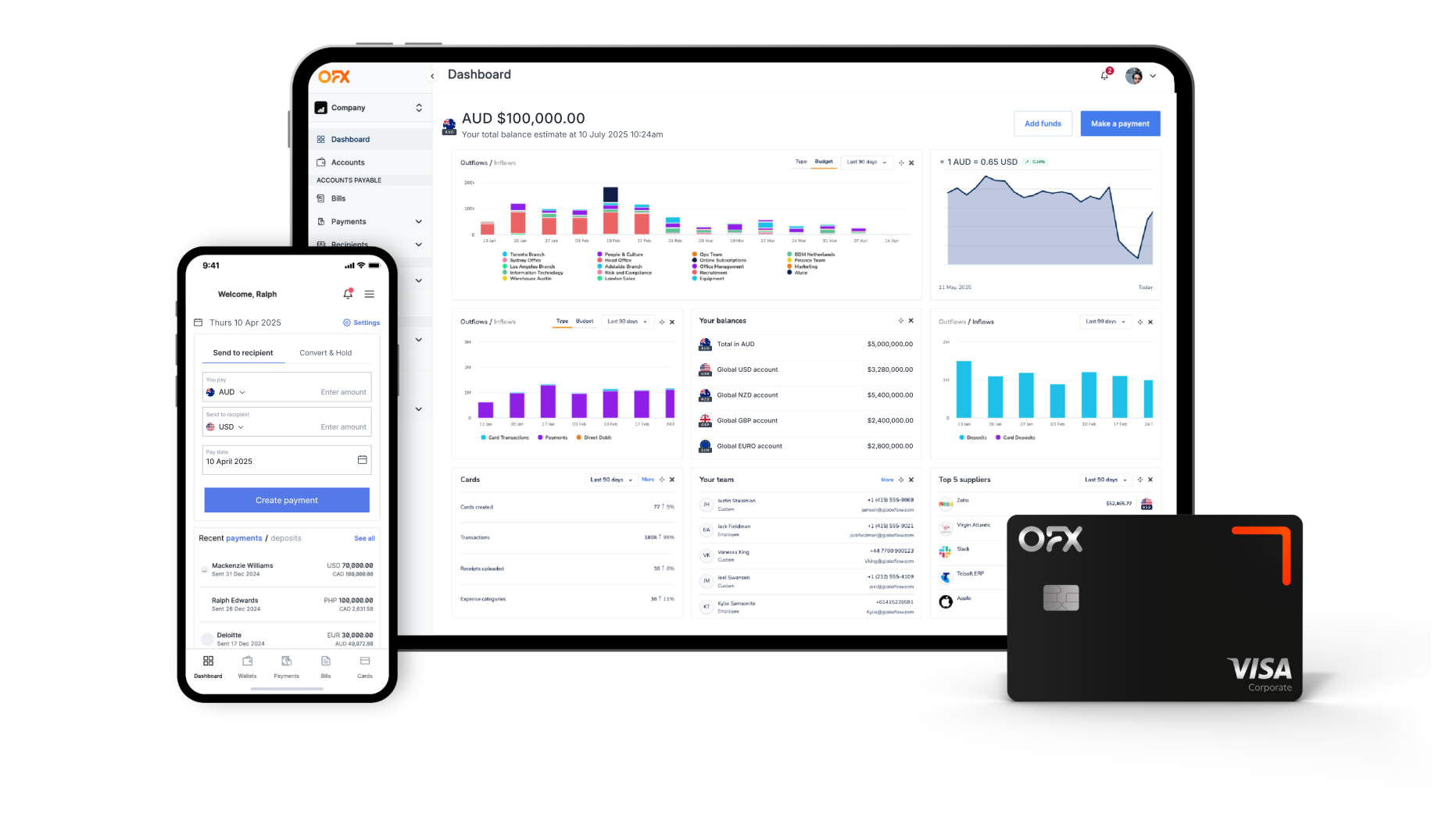
OFX Global Business Account
Receive, hold, convert and send funds across a wide range of currencies, reduce costs and gain greater control over your international payments.
How to choose the best business account
Finding the best business bank account Australia has to offer depends on your business’ needs. Here’s what to weigh up:
- Monthly and transaction fees: Look beyond the headline monthly fee. Check transaction allowances and any fees that apply once those allowances are reached.
- International and FX costs: If you regularly send or receive money internationally, consider both transfer fees and the exchange rate applied to currency conversions. RBA analysis found that transferring A$1,000 overseas through the four major Australian banks’ international money transfer services cost around 4% in September 2025, well above the G20 target of 1% by the end of 2027.3
- Accounting software integration: Integrations with accounting platforms such as Xero and QuickBooks Online can save time on manual reconciliation.
- Cards: Consider debit or corporate cards with spending controls, real-time tracking and low or no FX fees for overseas purchases.
- App and online banking: Digital banking and account-management tools can help you approve payments and monitor spending on the go.
- Support: Consider how and when customer support is available.
- Scalability: Consider an account or platform that can accommodate more users, transactions, currencies, and financial workflows as your business grows.
A sole trader operating entirely in Australia may have very different requirements from an importer paying suppliers in several currencies. Comparing the features you actually need can help narrow down the options.
The best business accounts for small business in Australia
Below are the best business bank accounts and fintech providers for Australian SMEs, starting with the big four and then covering fintech alternatives. We’ve reviewed each to help you find the best business bank account Australia has available.
NAB Business Account
Best for: Businesses looking for a major-bank transaction account with the option of branch banking.
NAB offers business transaction accounts with monthly fees of A$0 or A$104 depending on the tier. International card transactions incur an international card fee5. NAB integrates with major accounting software and offers a wide branch network. NAB also provides broader business banking services, including business lending and foreign currency accounts.
CommBank Business Account
Best for: Businesses looking for everyday banking through a major Australian bank and a highly rated mobile app.
CommBank offers Business Transaction Accounts with monthly account fees of A$0 or A$106. Its international card transaction fee is 3.5% for applicable transactions6. CommBank’s app is well-regarded, and it offers extensive ATM access across Australia.
Westpac Business Account
Best for: Established businesses wanting relationship banking, merchant services and dedicated support.
Westpac’s Business One has a monthly fee of A$0 (Business One) or A$10 (Business One Plus)7. Applicable foreign transactions made using a Westpac business debit card attract a 3% foreign transaction fee.⁷ Westpac also offers merchant services and commercial lending alongside everyday accounts.
ANZ Business Account
Suitable for: Sole traders and low-transaction businesses wanting simple, no-fuss everyday banking.
ANZ offers monthly fees of A$0 (Essentials) or A$10 (Extra)8. Overseas card transactions incur an overseas transaction fee depending on the product and transaction type8. ANZ’s digital banking is competitive, and its Essentials account suits low-transaction businesses. ANZ also offers business lending, payment, and foreign currency services.
OFX Global Business Account
Best for: Businesses that want to manage domestic and international payments, multi-currency accounts, corporate cards, and finance workflows in one platform.
The OFX Global Business Account is an all-in-one multi-currency platform. It’s not a bank, but it allows businesses to access local account details in AUD, USD, CAD, GBP and EUR9 with competitive, transparent exchange rates. Businesses can hold and convert 30+ currencies and make payments to 180+ countries9.
OFX offers batch and payroll payments, corporate cards, AP automation, spend management, and FX solutions including Spot Transfers, Forward Contracts and Limit Orders. The platform integrates with Xero and QuickBooks Online. The Standard plan costs A$0 per user per month. Full Suite costs A$75 per month, including 5 users, with additional users costing A$10 each per month.¹⁰ A 30-day free trial of Full Suite is available.10
Wise Business
Best for: Usage-based international payments and multi-currency capabilities.
Wise charges no monthly account fee11 but has a one-off A$6511 fee to unlock account details. Wise uses the mid-market exchange rate, with sending and conversion fees varying by currency and starting from 0.63%¹¹ and upto 2%12. Wise accounts can hold 40+ currencies.
Airwallex
Best for: Tech-savvy businesses needing API integrations and multi-currency wallets.
Airwallex’s Explore plan is A$29 per month, although the monthly fee is waived when eligible businesses meet its deposit or minimum-balance requirements. Its Grow plan costs A$99 per month, while Accelerate starts from A$999 per month.¹³
Airwallex states that FX rates are 0.5% above interbank rates for major currencies and 1% above interbank rates for other currencies.¹³ It provides local account details in 20+ currencies and supports local transfers to 120+ countries.¹³
Other international payment fees, including SWIFT fees, may apply depending on the transaction.¹⁴
Revolut Business
Suitable for: Businesses wanting tiered plans with bundled FX allowances.
Revolut Business offers several plans in Australia. Basic costs A$15 per month, Grow A$30 per month, and Scale A$150 per month, while Enterprise starts from A$1,250 per month.¹⁵
Each plan includes different allowances for currency exchange and international transfers. FX within the applicable monthly allowance doesn’t attract an additional exchange fee. A 0.6% fee applies above the allowance, with an additional 1% fee for exchanges outside foreign exchange market hours.¹⁵ ¹⁶
WorldFirst
Suitable for: Ecommerce sellers and importers or exporters handling regular overseas transactions.
WorldFirst doesn’t charge an account-opening or ongoing account fee.¹⁷ Its published FX margin is up to 0.6% for major currencies, with different pricing applying to other currencies.¹⁷
WorldFirst also provides multi-currency account capabilities and local receiving details in a range of currencies.
Further options
Zeller offers a fee-free card and transaction account for businesses focused on payments and POS. Macquarie, Suncorp and AMP Bank GO are worth a look if you also want a competitive business savings account.
Fees and FX compared at a glance
Fees can change and may depend on the account, transaction type, currency, and usage. Check the provider’s current pricing and fee schedule before opening an account.
| Provider | Monthly fee | International and FX costs | Multi-currency support |
|---|---|---|---|
| OFX | Standard: A$0/month; Full Suite: A$75/month including 5 users, then A$10/additional user10 | Competitive FX rates, no hidden fees | 30+ currencies; local accounts in AUD, USD, CAD, GBP, EUR9 |
| NAB | A$0 or A$104 | International card fee applies5 and other international payment costs may apply | Foreign currency accounts available |
| CommBank | A$0 or A$106 | 3.5%6 international card fee; other international payment costs may apply | Foreign currency accounts available |
| Westpac | A$0 or A$107 | 3%7 foreign transaction fee; other international payment costs may apply | Foreign currency services available |
| ANZ | A$0 or A$108 | International transaction and payment fees depend on product and transaction type | Foreign currency services available |
| Wise | No monthly account fee; A$65 one-time fee for business account details/features11 | Sending and conversion fees vary by currency and amount, from 0.63%11 to 2%12 | 40+ currencies20 and local account details in 8 |
| Airwallex | Explore A$29, waived when qualifying conditions are met; Grow A$99; Accelerate from A$99913 | FX 0.50%–1.00%13; local A$0, SWIFT A$10–A$3014 | Local account details in 20+ currencies13 |
| Revolut | Basic A$15; Grow A$30; Scale A$150; Enterprise from A$1,25015 | Included allowances vary by plan; 0.6% FX fee above allowance plus 1% outside market hours16 | Multiple currencies and local accounts details |
| WorldFirst | No account-opening or ongoing account fee17 | FX margin up to 0.6%17 on major currencies | Multi-currency wallets |
Why multi-currency still matters for small businesses
A standard domestic transaction account can cover everyday banking needs. Businesses that pay overseas suppliers, receive funds in foreign currencies or manage payroll across borders may also benefit from an international business account or multi-currency business account. A foreign currency account lets you hold a single currency other than AUD, while a true multi-currency platform lets you hold, receive and convert several currencies without forcing conversions on every transaction.
This can be useful when your business:
- Invoices customers in currencies such as USD, GBP, or EUR.
- Pays international suppliers.
- Receives marketplace or ecommerce revenue in different currencies.
- Operates across several countries.
- Wants greater control over when currencies are converted.
Signs you may need one include regular invoice payments in USD, GBP or EUR, marketplace payouts in multiple currencies, or a growing share of customers outside Australia.
Transparent FX matters because hidden markups on the exchange rate can quietly erode margins, especially on high-volume or high-value transfers.
Several accounts covered earlier in this guide suit international needs. Wise and WorldFirst work well for smaller or ecommerce transfers. Airwallex and Revolut offer multi-currency wallets and API tools for tech-focused operations. OFX combines local account details in AUD, USD, CAD, GBP and EUR9 with batch and payroll payments, international payments and Xero and QuickBooks Online sync.
The right option depends on your currencies, payment volume, workflow, and overall cost.
Why OFX stands out for small businesses
OFX’s Global Business Account is an all-in-one platform built for businesses that move money across borders. It combines multi-currency accounts with local account details, OFX corporate Visa debit cards, AP and bill automation, spend management, and FX solutions including Spot Transfers, Forward Contracts and Limit Orders. Batch and payroll payments let you pay multiple suppliers or employees in one go.
OFX corporate Visa debit cards come with spending controls, real-time tracking and work with Apple Pay and Google Pay. Pay by Card lets you earn reward points on eligible AMEX, Visa or Mastercard rewards credit cards when paying expenses like rent, tax bills or supplier invoices, even where suppliers don’t usually accept cards. OFX does not guarantee points accrual; this depends on the card issuer’s rewards program terms.
Xero and QuickBooks Online integrations sync transactions in real time, cutting down on manual data entry. For SME’s making cross-border payments, OFX offers the controls, automation and FX tools to scale internationally without the complexity.
Registration takes under 10 minutes. See our business pricing for more details.
Frequently asked questions about the best small business bank accounts
What is the best business account for a small business in Australia?
There isn’t one business account that’s right for every small business.
Traditional banks can suit businesses looking for everyday domestic banking and branch services. Businesses operating internationally may also benefit from a fintech or multi-currency business account such as the OFX Global Business Account.
Do I legally need a separate business account?
Companies, partnerships and trusts must have a separate business account for tax purposes in Australia.¹ Sole traders aren’t required to have one, although keeping business and personal transactions separate can make financial record-keeping and tax preparation easier.
What is the best business account for a sole trader?
The right account depends on how you operate. A sole trader primarily receiving and making payments in Australia may prioritise low fees and straightforward digital banking.
If you invoice overseas clients or pay international suppliers, consider a business bank account for small business with multi-currency capabilities.
What fees should I expect with a business account?
Depending on the provider and account, costs can include monthly account fees, transaction fees, card fees, international payment fees, and currency-conversion costs.
Some providers have no monthly account fee, while others offer different plans or waive fees when eligibility requirements are met. Check the provider’s latest fee schedule before applying.
What is the best business account for international payments?
Consider which currencies and countries are supported, whether you can receive and hold foreign currencies, the exchange rate and applicable fees, accounting integrations, payment workflows, and support.
OFX, Wise, Airwallex and WorldFirst all offer competitive options with varying fee structures.
Does OFX integrate with Xero or QuickBooks Online?
Yes. OFX integrates with Xero and QuickBooks Online. Check the relevant integration requirements and functionality to determine which option suits your business.
Can I use a personal account for business?
A sole trader isn’t legally required to maintain a separate business bank account for tax purposes in Australia. However, keeping business and personal transactions separate can make record-keeping, activity statements, and tax preparation easier.
How do I switch business accounts?
Start by opening your new account and updating the payment details you provide to customers and suppliers. Review recurring payments, direct debits, and other payment instructions connected to your existing account.
You may want to keep the previous account open during the transition so you can identify payments or transactions that still use the old details. Once everything has moved across, follow your provider’s process for closing the old account.
Looking for an alternative to your bank?
References
- https://business.gov.au/finance/set-up-your-finances/set-up-your-business-bank-account
- https://www.abs.gov.au/statistics/economy/business-indicators/counts-australian-businesses-including-entries-and-exits/latest-release
- https://www.rba.gov.au/publications/bulletin/2026/feb/on-the-road-to-better-cross-border-payments-how-is-australia-travelling.html
- https://www.nab.com.au/business/business-bank-accounts/transaction-accounts/no-monthly-fee-business-account
- https://www.nab.com.au/important-information/business/banking-fees-charges
- https://www.commbank.com.au/business/bank-accounts/business-transaction-account/rates-and-fees.html
- https://www.westpac.com.au/business-banking/transaction-accounts/business-one/
- https://www.anz.com.au/business/accounts/transaction-accounts/
- https://www.ofx.com/en-au/business/global-business-account/
- https://www.ofx.com/en-au/business/pricing/
- https://wise.com/au/pricing/business
- https://transferfees.io/guides/wise-fees-explained
- https://www.airwallex.com/en-au/pricing
- https://www.airwallex.com/en-au/terms/fee-schedule
- https://www.revolut.com/en-AU/business/business-account-plans/
- https://www.revolut.com/en-AU/legal/business-basic-fees/
- https://www.worldfirst.com/au/pricing/
- https://www.ofx.com/en-au/about-us/
- https://www.ofx.com/en-au/faqs/will-my-money-be-safe/
- https://wise.com/help/articles/2897226/what-is-a-wise-account
In Australia, OFX is registered as a financial service provider and regulated by ASIC (AFS Licence number 226 484). OFX is not a bank, and so you are not protected by the Financial Claims Scheme when you send money with OFX.
Learn more about how OFX keeps your money and information secure here.
IMPORTANT: The contents of this blog do not constitute financial advice and are provided for general information purposes only without taking into account the investment objectives, financial situation and particular needs of any particular person. OzForex Limited (trading as “OFX”) and its affiliates make no recommendation as to the merits of any financial strategy or product referred to in the blog. OFX makes no warranty, express or implied, concerning the suitability, completeness, quality or exactness of the information and models provided in this blog.