Running a business is a balancing act. You’re scaling operations, managing cashflow, expanding into new markets, all while keeping a lean team.
For many small and medium-sized enterprises (SMEs), the challenge isn’t just growth. It’s growing smarter.
Accounting integrations as a strategic enabler
One of the effective levers high-performing SMEs are using today is accounting integration: connecting financial tools so that data flows automatically and teams can focus on value.
Traditionally, managing local and global transactions has meant juggling multiple systems: one for accounting, one for payments, and one for FX conversions.
The lack of integration forces manual data entry across spreadsheets, and platforms, plus time-consuming reconciliations. All of this reduces visibility and becomes a huge efficiency drain for businesses.
For finance teams that process hundreds of invoices a month, a conservative time-saving percentage compounds quickly. Integrations can help create a single source of truth, reducing errors and the time spent fixing them. This means more bandwidth for strategic planning and growth.
Explore OFX accounting integrations
for businesses and accounting firms.
How SMEs are applying integrations in practice
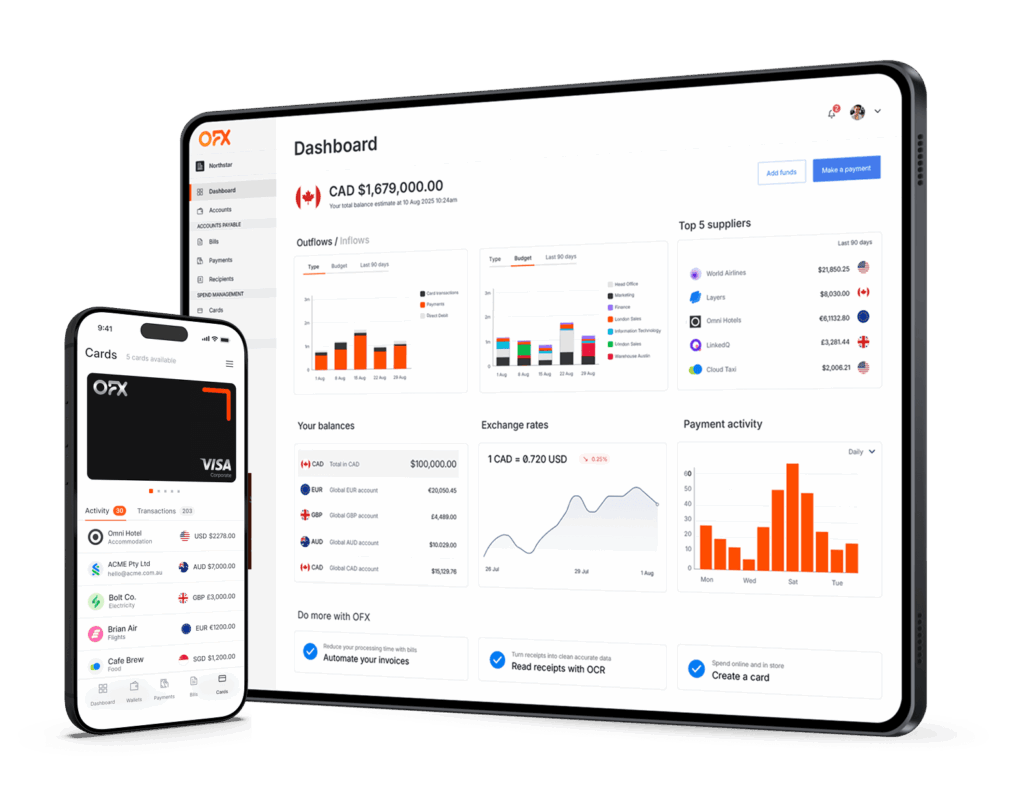
Businesses are now building connected financial ecosystems where accounts payable, expense management, and global payment tools talk directly to their accounting platform, such as QuickBooks Online and Xero.
With accounting integrations, they are:
- Automatically sync bills, payments, and expense data between systems.
- Using direct bank feeds for reliable and secure data flow.
- Reconciling transactions instantly.
- Managing foreign currency transactions without complex manual workarounds.
It’s particularly useful when employees have different seniority levels and budget approval. The big kicker is being able to integrate with Xero. The fact we could plug and play there is a big advantage.”
– Nick Bishop, CFO, PlasmaLeap
How OFX accounting integration works
If you’re looking for a more connected financial ecosystem, OFX extends the power of QuickBooks Online and Xero by syncing key finance functions seamlessly.
- Direct bank feed integration
OFX’s API-based bank feed is a direct sync with QuickBooks Online and Xero, ensuring data accuracy and security. - 2-Way sync for reliability
Data flows both ways between OFX and QuickBooks Online and Xero, giving accounting and finance teams an up-to-date, reliable record that simplifies reconciliations. - Bills and payments
Use OFX to pay bills that originate in QuickBooks Online or Xero. Gradually expand to manage the full AP process directly in OFX. This setup gives you flexibility to evolve as your business grows. - Simplify FX conversions and reconciliations
When you pay or record expenses in a different currency, OFX automatically processes the FX conversion between your accounts in QuickBooks Online and Xero.
Each transaction stays in its original currency, giving you accurate records, easier reconciliations, and a clearer view of your global cashflow. - Receipt and attachment syncing
Sync receipts and attachments automatically, ensuring your documentation is always accessible from either platform.
It would be thousands of hours saved annually across the company. Previously, we had to chase missing receipts. Now, you just snap a photo at the time, it gets attached, and the team can easily select the account that they need to assign it to through Xero.”
– Sarah Mitchell, Group Executive Operations, Stone & Chalk
What next? Practical steps for SMEs and finance leaders
There are several types of corporate cards, and each has its pros and cons.
- Map your current workflow
Identify where re-entry, matching and reconciliation happen. - Estimate volume and current cost per item
Track a small set of measurements as a benchmark pre/post integration. For example, invoices per month, average time spent on reconciliating payments, and the rough hourly cost of staff handling them. - Test and measure
If you’re using QuickBooks Online or Xero, connect your OFX account to start syncing bills for a set of suppliers and measure the improvement. - Scale as you improve
When you see improvements and lower FX costs, expand the integration footprint to cards and expenses.
Close the books faster with OFX accounting integrations.

Integration that works for your businesses
Scaling a business doesn’t always mean adding headcount.
For small and medium-sized enterprises navigating growth, global expansion, or lean operations, connecting payments, expenses, and accounting is no longer a “nice to have”, it’s best practice.
With OFX’s 2-way sync with QuickBooks Online and Xero, you can:
- Reduce manual work and errors through automated syncing.
- Gain real-time financial clarity across transactions and currencies.
- Streamline AP and expense management in one connected system.
- Scale globally with confidence while keeping your team lean.
Some features of OFX accounting integrations are only on select plans. To learn more, visit our pricing plans.
No obligations. Zero pressure.
See what effortless financial operations could look like for you.